
Real estate agent social media videos you can film yourself
These are six real estate agent social media videos you can film on your phone, talking to the camera.
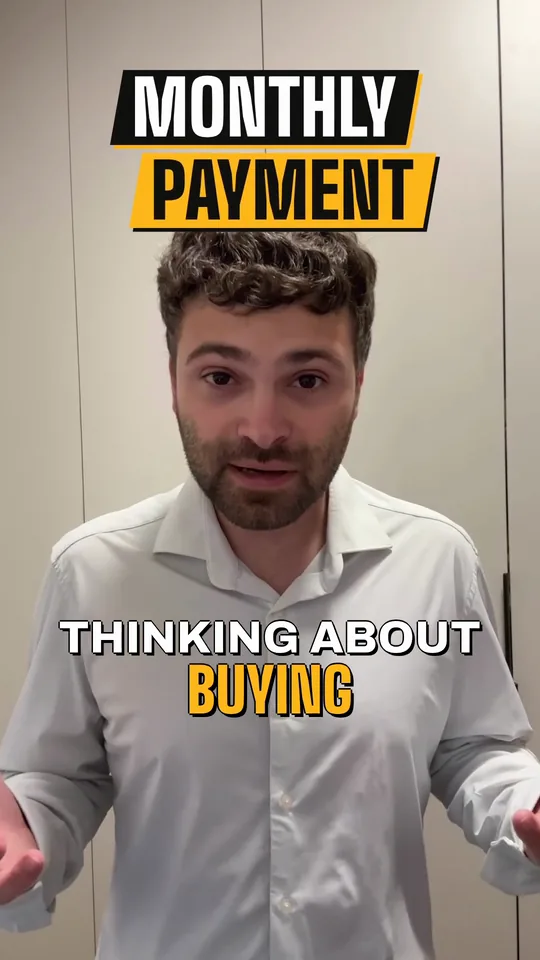
A real-estate talk to camera, “Thinking about buying this year? Here's what most buyers miss”: the raw take, then Solara AI's Brass edit of it, with a MONTHLY PAYMENT title, captions and a cutaway.
Six videos to film this month
Each one is you on camera, saying one thing.
A market update
Stand somewhere recognizable and explain one thing that changed in your area this month.
A listing intro, on camera
Stand in the home, say what makes it worth seeing, then keep talking as you walk. Get the seller's permission before you film.
A buyer or seller tip
Answer one question your clients ask you, in a few sentences.
A neighborhood guide
Talk about a street, a park, a coffee shop or the commute, on location.
A myth and the fact
Say one thing people believe about buying or selling, then what's true in your market.
Who you are
Your name, the area you cover and how to reach you.
Solara edits each one to what you say
The figures on screen
Animated graphics for the points you make, on screen as you say them.
Captions
Burned in and styled, because most of the feed watches on mute.
The pauses cut
Long pauses and fillers like “um” and “uh” come out, and the cuts follow your words.
The whole picture: See Solara for real estate agents
Common questions
What social media videos should a real estate agent post?
Start with videos you can film yourself, talking to the camera: a market update, a listing intro on camera, a buyer or seller tip, a neighborhood guide, a myth and the fact, and who you are.
Do I have to edit them myself?
No. Upload the clip and pick a style, and Solara does the edit: it cuts pauses and filler words and adds captions, graphics, b-roll and music. The editor is there if you want to change something.
Can Solara edit a listing walkthrough with no talking?
No. Solara edits videos where someone talks, and cuts each one to what's said. Walk through the home talking to the camera, and Solara edits that.
Where does Solara post my videos?
To Instagram, TikTok, Facebook, LinkedIn, YouTube and X, now or at the time you pick, from the calendar. Posting a video Solara edited comes with a plan. Posting your own photos and videos from the calendar is free.
How much does Solara cost?
Try it free: 3 videos, clips up to 90 seconds. Your first download is free, in 1080p with no watermark. Downloading the rest and posting edited videos come with a plan. Posting your own photos and videos from the calendar is free. Essential is $29 a month or $290 a year for 20 videos a month. Premium is $59 a month or $590 a year for 60 videos a month. Cancel any time.
Turn your phone videos into customers

- 3 videos free
- No credit card required
Posts to Instagram, TikTok, Facebook, LinkedIn, YouTube and X