Safe zone checker for Instagram Reels and TikTok
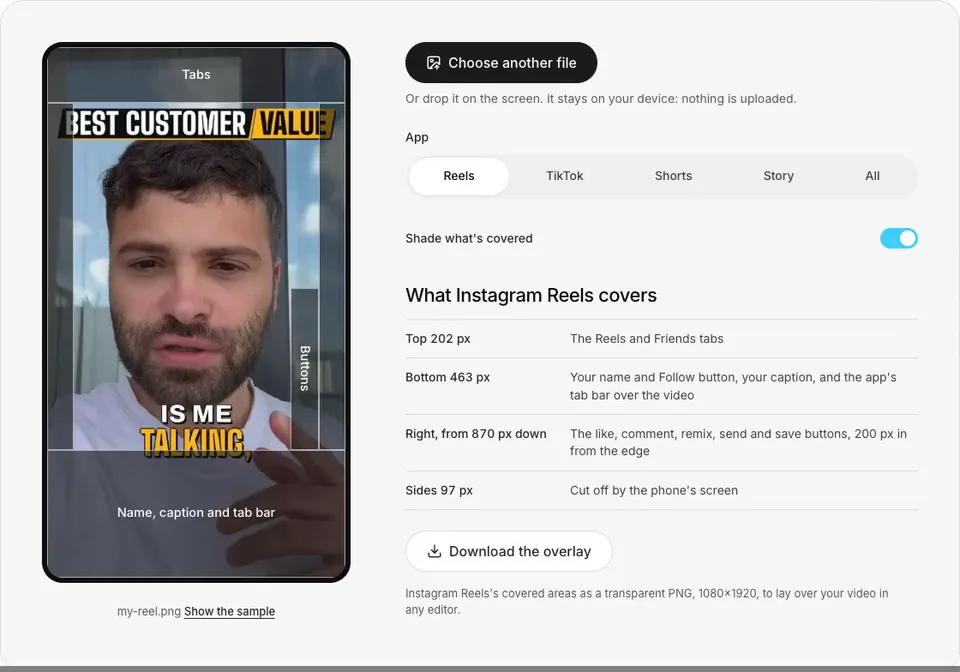
Instagram Reels covers the top 202 px and bottom 463 px of a 1080×1920 video, TikTok the top 217 px and bottom 247 px. Drop in a still or a video to see what each app covers.
Or drop it on the screen. It stays on your device: nothing is uploaded.
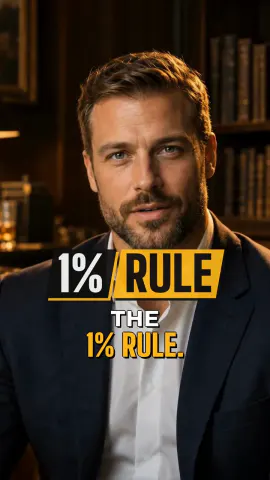
Sample frame from a Solara AI edit in the Brass style. The presenter is AI-generated.
What Instagram Reels covers
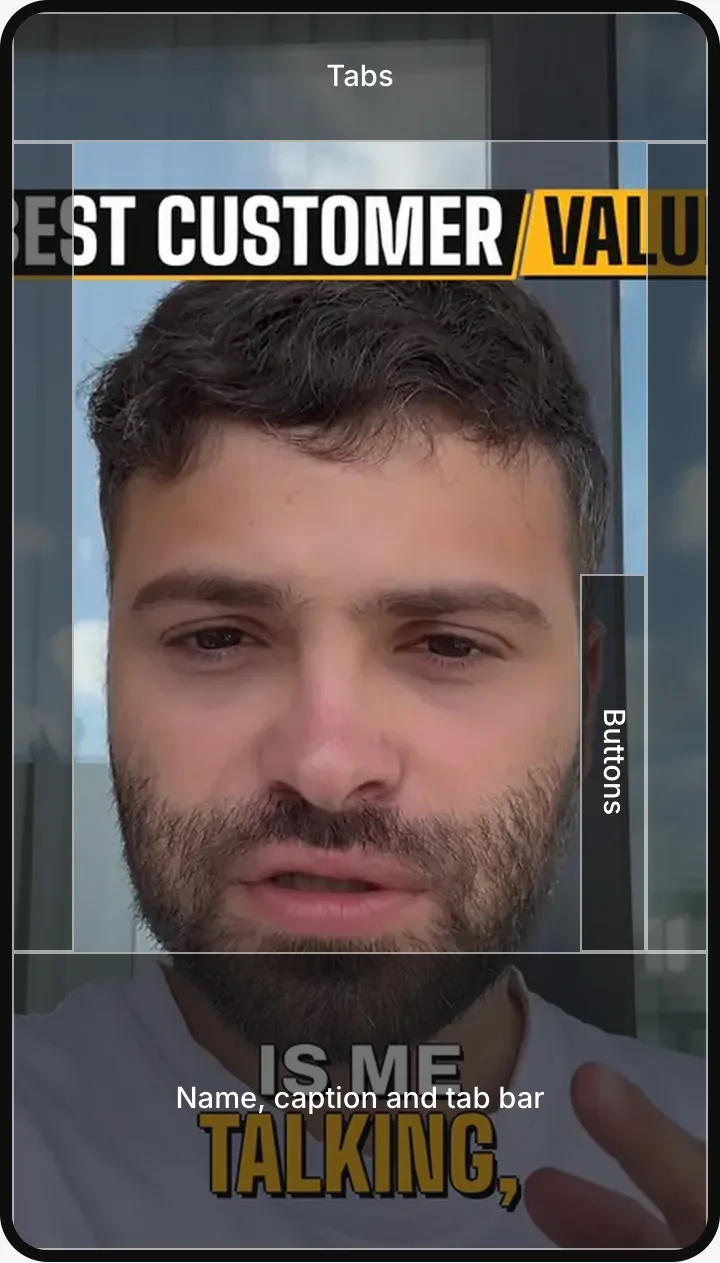
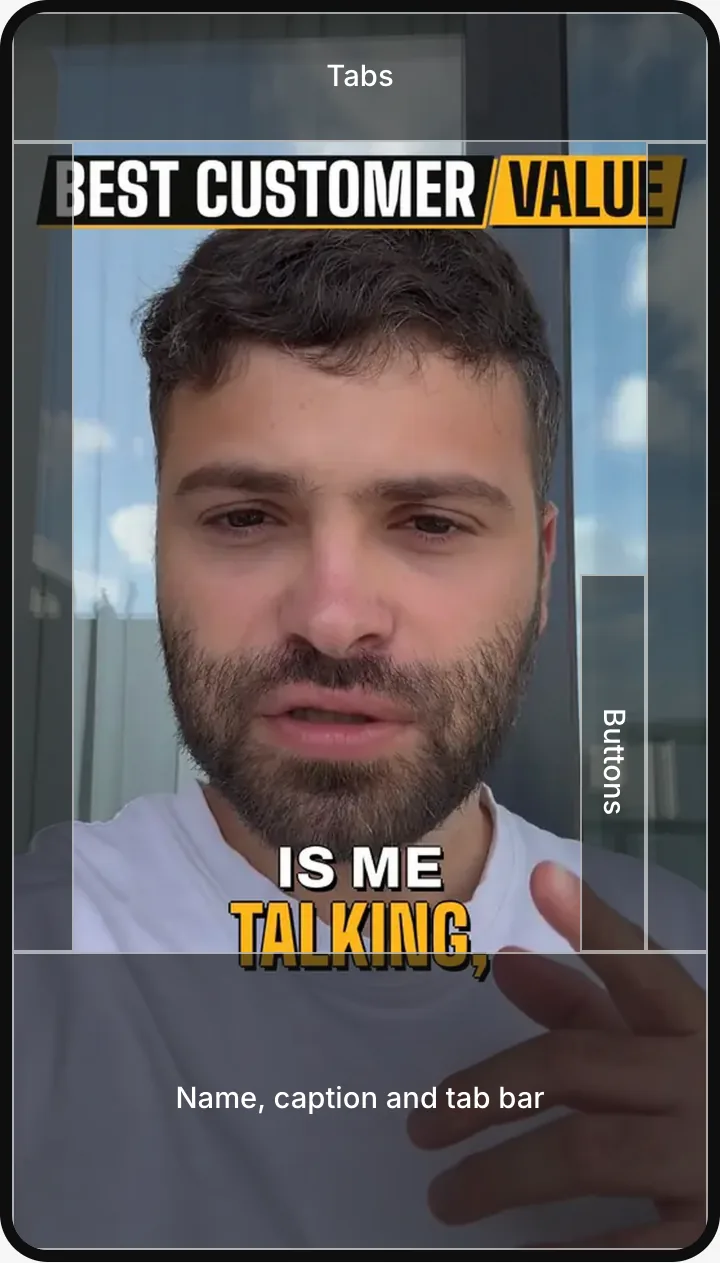
- Top 202 pxThe Reels and Friends tabs
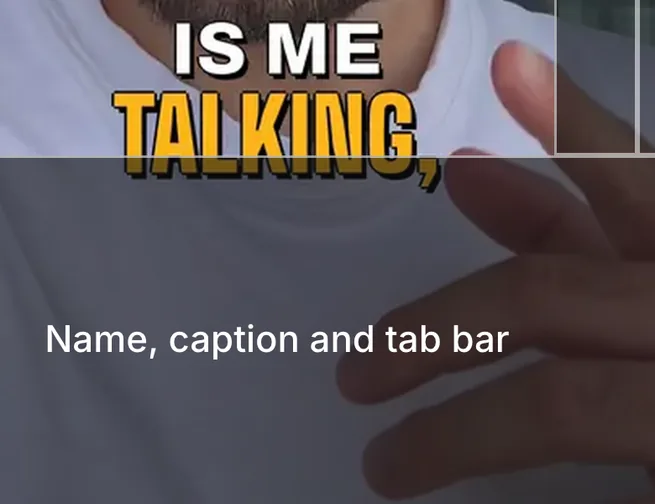
- Bottom 463 pxYour name and Follow button, your caption, and the app's tab bar over the video
- Right, from 870 px downThe like, comment, remix, send and save buttons, 200 px in from the edge
- Sides 97 pxCut off by the phone's screen
Instagram Reels's covered areas as a transparent PNG, 1080×1920, to lay over your video in any editor.
See it in action
How to check your video's safe zones
Choose a still or your video
Pick it or drop it on the screen. It stays on your device.
Pick the app
Reels, TikTok, Shorts or Story, or All for the four at once.
Look in the shaded areas
Anything there sits under the app's buttons and text.
Move it, or use the overlay
Move it in your editor, or lay the overlay PNG over your video.
Safe zone sizes at 1080×1920
| App | Top | Bottom | Sides | Buttons |
|---|---|---|---|---|
| Instagram Reels | 202 px | 463 px | 97 px | Right, from 870 px down, 200 px wide |
| TikTok | 217 px | 247 px | 54 px | Right, from 929 px down, 180 px wide |
| YouTube Shorts | 218 px | 180 px | 53 px | Right, from 1114 px down, 171 px wide |
| Instagram Stories | 133 px | None | None | None |
Posting the same video everywhere? Keep text between 218 px and 1457 px from the top, and between 97 px and 880 px from the left: that area is clear on all four.
Measured on an iPhone in the TikTok, Instagram and YouTube apps, November 2026. A long caption, or a music or location row, can push the bottom band up a little, so leave some room above it.
Where to put captions and text
Keep captions above the bottom band
The bottom band holds your name and caption: 463 px on Reels, where the app's tab bar also sits over the video, 247 px on TikTok and 180 px on Shorts. Captions placed low end up under it.
Leave the right edge clear
The like, comment and share buttons run down the right side: from 870 px down on Reels, 929 px on TikTok and 1114 px on Shorts. Keep long lines of text short of them, or centred and narrower.
Keep titles and faces below the top band
The top 202 px to 218 px holds the app's tabs or search row. A title, a logo or the top of your head there gets covered.
Stay in from the sides
The phone's screen cuts a strip off each side: 97 px on Reels, which fills the whole screen, 54 px on TikTok and 53 px on Shorts. Keep words a little in from the edges.
Stories cover only the top
On a Story, only the top 133 px is covered: the progress bar, your name and the close button. The reply bar sits under the video, not over it.
Posting everywhere? Check Reels, or pick All
Reels covers the most: a 463 px bottom band and 97 px at each side. Pick All to see what the four apps cover together, and download that overlay.
A 16:9 video plays in YouTube's player, whose title and controls appear over its edges. Keep text 5% in from each edge, the broadcast graphics-safe area (EBU R 95), and out of the bottom tenth, where the progress bar sits. On Reels, TikTok and Shorts a 16:9 video plays small, with bars above and below.
Is your video 16:9 or 4:5? Resize it to 9:16 for free
Want captions without placing them by hand? See auto captions
Editing for Reels and TikTok? See the Reels & TikTok editor
Common questions
What is the Instagram Reels safe zone?
It's the part of the screen Instagram leaves clear on a Reel. On a 1080×1920 video, Instagram covers the top 202 px (the Reels and Friends tabs), the bottom 463 px (your name and Follow button, your caption, and the app's tab bar, which floats over the video), 97 px at each side, where the screen crops it, and the buttons on the right from 870 px down. Keep text and faces in the rest.
What is the TikTok safe zone?
On a 1080×1920 video, TikTok covers the top 217 px (the Following and For You tabs, and search), the bottom 247 px (your name, your caption and the search bar under it), 54 px at each side, and a column of buttons on the right from 929 px down. Its bottom band is shallower than Reels', so a video clear on Reels is clear on TikTok at the bottom too.
What does YouTube Shorts cover?
The top 218 px (the search and menu buttons), the bottom 180 px (your channel, the Subscribe button and the title), 53 px at each side, and the buttons on the right from 1114 px down. Its bottom band is the shallowest of the three.
Where should I put captions on a Reel or a TikTok?
Above the bottom band and clear of the buttons on the right: on a 1080×1920 video, no lower than 1457 px from the top for Reels, which also clears TikTok (1673 px) and Shorts (1740 px). Around the middle of the screen is clear on every app.
Is my video uploaded?
No. The checker shows your file from your own device, and the overlay PNG is drawn in your browser: the file itself never leaves your device, and our analytics never record it.
How do I use the overlay PNG?
Download it for the app you're posting to, then add it as the top layer over your video in your editor, stretched to fill the 1080×1920 frame. Line your text up in the clear area, then hide or delete the layer before you export.
Are the safe zones for ads the same?
No. An ad also shows a Sponsored label and a button at the bottom, so each app's ad specs keep a deeper bottom band. The zones here are for posts.
What happens to a 16:9 video?
Reels, TikTok and Shorts play it small, with bars above and below, so most of the screen is empty. Resize it to 9:16 first, with a blurred background or a crop, and it fills the screen.
Turn your phone videos into customers

- 3 videos free
- No credit card required
Posts to Instagram, TikTok, Facebook, LinkedIn, YouTube and X