For real estate agents
The real estate video editing app for agents who film themselves
Solara AI is a real estate video editing app for videos you film talking to the camera.
“Seriously, you were better (cleaner) than SubMagic and Captions.”

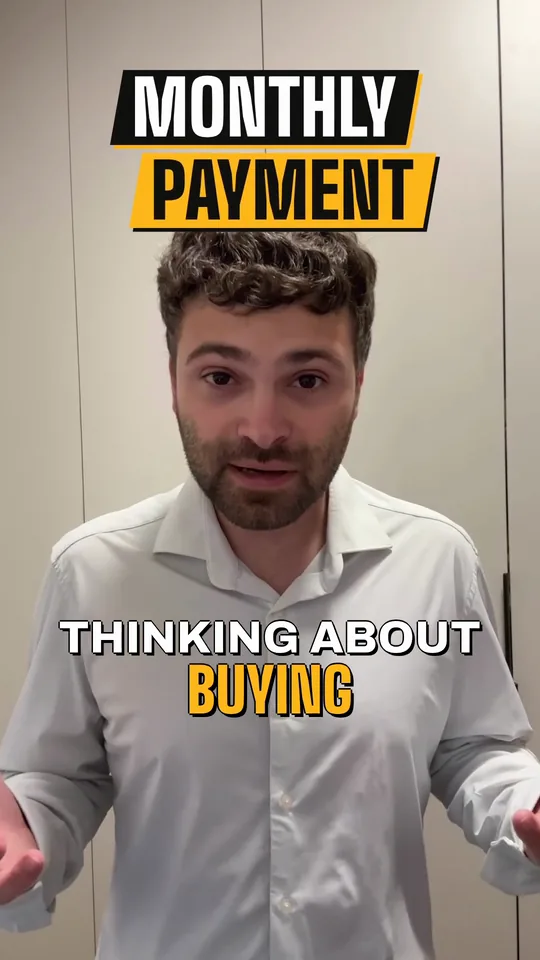
A real-estate talk to camera, “Thinking about buying this year? Here's what most buyers miss”: the raw take, then Solara AI's Brass edit of it, with a MONTHLY PAYMENT title, captions and a cutaway.
Made for the videos you talk in
Film it on your phone, talking to the camera. Solara edits it to what you say.
Market updates
Explain one thing that changed in your area this month. Animated graphics put the points you make on screen as you say them.
Tips for buyers and sellers
Answer one question your clients ask. Captions carry it for people who watch on mute.
Listing intros
Say what makes the home worth seeing, on camera, as you walk through it.
Your introduction
Who you are, the area you cover and how to reach you.
Need ideas? See six videos to film this month
Comparing editors, or hiring one? See real estate video editors compared
How it works
Film it on your phone
Talk to the camera: up to 10 minutes on a plan, in one MP4, MOV or WebM video.
Upload it and pick a style
Solara's AI cuts pauses and filler words and adds captions, graphics, b-roll and music.
Change anything, then post it
Fix a word or swap the style, or ask the AI. Then download it, or schedule it to Instagram, TikTok, Facebook, LinkedIn, YouTube and X.

Posting Reels? See how real estate agents make Reels
Change anything in the editor
Swap the style or the captions, add music, zoom on a word or speed it up, or ask the AI to.
Common questions
What does Solara AI edit for a real estate agent?
Videos where you talk to the camera: market updates, buyer and seller tips, listing intros and your introduction. Solara cuts pauses and filler words, adds captions, graphics, b-roll and music, and gives you a vertical 9:16 video, or 16:9 if you switch it.
Can Solara edit a listing walkthrough with no talking?
No. Solara edits videos where someone talks, and cuts each one to what's said. Walk through the home talking to the camera, and Solara edits that.
Does Solara work on my phone?
Yes. Solara runs in your browser, on your phone or computer, and does the edit for you. The editor is there if you want to change something.
How long can my videos be?
Up to 90 seconds on the free try, and up to 10 minutes on a plan. Every video counts as one, whatever its length.
Where does Solara post my videos?
To Instagram, TikTok, Facebook, LinkedIn, YouTube and X, now or at the time you pick, from the calendar. Posting a video Solara edited comes with a plan. Posting your own photos and videos from the calendar is free.
How much does Solara cost?
Try it free: 3 videos, clips up to 90 seconds. Your first download is free, in 1080p with no watermark. Downloading the rest and posting edited videos come with a plan. Posting your own photos and videos from the calendar is free. Essential is $29 a month or $290 a year for 20 videos a month. Premium is $59 a month or $590 a year for 60 videos a month. Cancel any time.
Turn your phone videos into customers
- 3 videos free
- No credit card required
Posts to Instagram, TikTok, Facebook, LinkedIn, YouTube and X