 By Yuval Strutti

To post to all social media at once, connect your accounts to one tool, make the post once, tick every platform it should go to, then post it now or schedule it. The tool does the posting on each platform, so you write and upload once.
In Solara AI, one post goes to Instagram, TikTok, Facebook, LinkedIn, YouTube and X, with a caption of its own for any platform that needs one. Posting your own photos and videos from the calendar is free.
Post once to every platform from one calendar
- Connect your accounts once, from Social Accounts. A Facebook post goes to the Page you choose.
- On the calendar, make a new post: a video, photos, a carousel or just text. Your accounts show as their photos; tap the ones it goes to.
- Pick each platform’s format, such as a Reel on Instagram and a Story on a Facebook Page, and write the caption.
- Post it now, or pick a date and time and it goes out by itself.
What you can post to each platform at once
A video goes to all six. Photos go everywhere but YouTube, which takes one video as a Short, and text on its own goes to Facebook, LinkedIn and X. Pick the post’s type first, and New post offers each platform the formats it takes.
| Platform | A video as | Photos as | Text only |
|---|---|---|---|
| Reel, post or story | Post, story or carousel | No | |
| TikTok | Video | Photo post | No |
| Reel, post or story | Post, story or carousel | Yes | |
| Video post | Post or carousel | Yes | |
| YouTube | Short | No | No |
| X | Video post | Post with photos | Yes |






Give each platform its own caption
One caption rarely fits everywhere: a LinkedIn post reads like a note to colleagues, a TikTok caption is a line and a few hashtags. Write the main caption once, then tap a platform’s photo above it and choose Customize to give that one its own words. The preview shows the post as that app will.
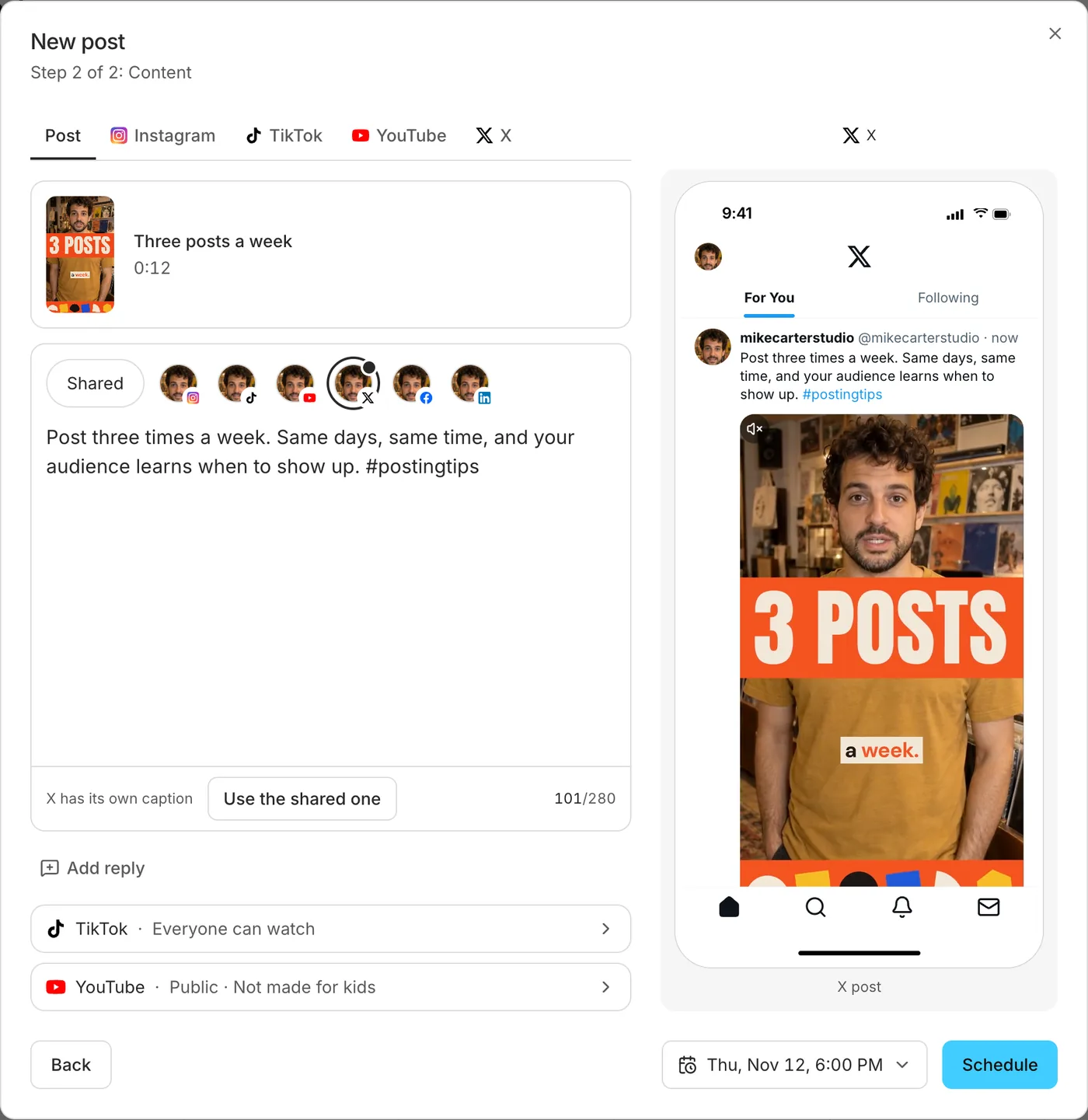
Each app has its own limits too. For LinkedIn’s steps, video specs and vertical video, see how to post video on LinkedIn.
You can add a first comment too, on Instagram, Facebook, LinkedIn, YouTube and X: a link, a question or the details that would crowd the caption.
Post the same video more than once
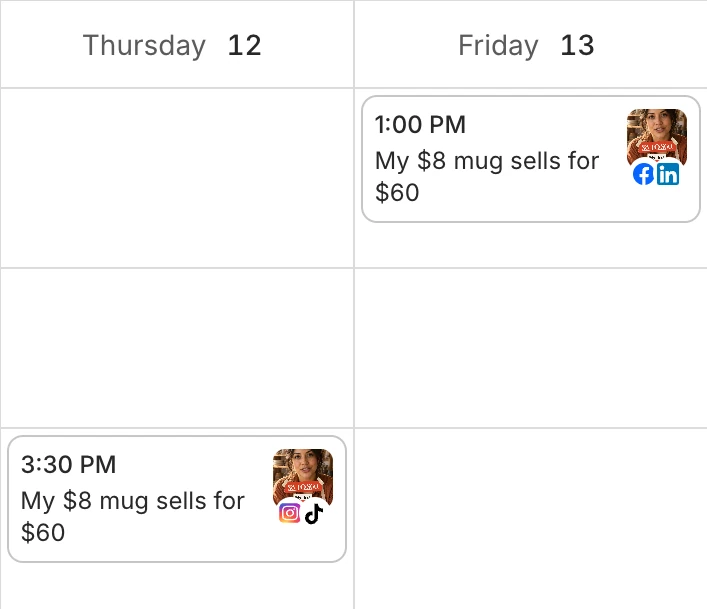
A video can have several posts, each with its own day, platforms and caption. So Tuesday’s TikTok and Thursday’s LinkedIn post can say different things. To post a video again, open its post on the calendar and choose Duplicate post. Drag a post to another day to move it, up to the moment it goes out.
Posting your own videos everywhere is free
Every Solara AI account, the free try included, posts and schedules its own photos and videos from the calendar for free. Posting a video Solara edited comes with a plan. Essential is $29 a month: see the plans.
Solara AI posts through each platform’s official connection, so every post comes from your own account, under your name.
Edit the video once for every platform
Most of the work of posting everywhere is the video itself. Solara AI edits a video you filmed of yourself, and the edit is already on your calendar to post. It cuts the pauses and filler words, captions every word and adds titles, zooms and sound effects. Solara AI edits your first 3 videos free, and your first download is free.

For the editing side, see the video editor for social media content, how posting and scheduling work, or how AI video editors compare.
Common questions
- Can I post to all social media at once for free?
- Yes, for your own videos and photos. Every Solara AI account, the free try included, posts and schedules them from the calendar for free: videos to Instagram, TikTok, Facebook, LinkedIn, YouTube and X, photos to Instagram, TikTok, Facebook, LinkedIn and X. Posting a video Solara edited comes with a plan.
- Which platforms can I post to at once?
- Solara AI posts to Instagram, TikTok, Facebook, LinkedIn, YouTube and X. Connect each account once, then choose where every post goes: one platform or all six.
- Can each platform get a different caption?
- Yes. Write one caption for the post, then tap a platform’s photo above it and choose Customize to give that platform its own words. The preview shows the post as that app will.
- Can I schedule a post to every platform for later?
- Yes. Pick a date and a time and the post goes out by itself on every platform you chose, or post it now. You can move a scheduled post to another day until it goes out.
- Can I post photos and text to every platform at once?
- Photos go to every platform but YouTube, which takes one video as a Short. Text on its own goes to Facebook, LinkedIn and X. In one post, each platform gets the formats it takes.
- Can I post the same video on different days?
- Yes. A video can have several posts, each with its own day, platforms and caption. To post one again, open its post on the calendar and choose Duplicate post.