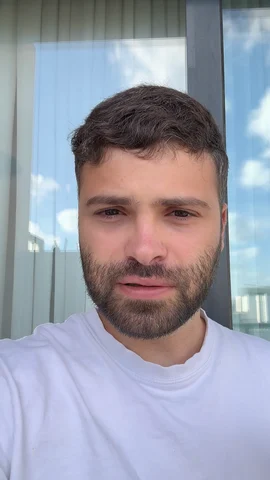
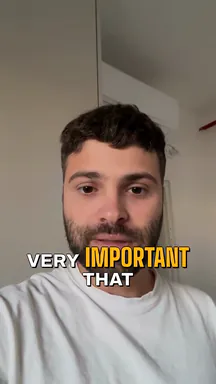
A phone playing a man talking about a rental property, captioned in the style picked beside it: Inverse, Comic Burst, Brass Caps or Serif Glow, each one of Solara AI’s own edits of the same take.
Inverse
StylesCaptions
Animated caption styles from Solara AI’s Captions gallery, each a Solara AI edit of the same take.
What Solara AI’s animated captions do
Every word, on time
Solara AI transcribes your video and shows each word as you say it, timed to your voice.
The key words picked out
It picks the words to emphasise and keeps the captions off your face, in the style you choose.
Yours to change
Fix any word in the editor, or switch the caption style and watch it change.
Captions that move with the speech: words appear as they are said, with key words picked out by colour, size or motion. On short videos they are usually burned into the picture.
How do I add animated captions to a video?
Upload a video where you talk to Solara AI and pick a caption style from its Captions gallery. It transcribes the video, times every word to your voice and burns the captions in. Fix any word in the editor, then post or download it.
Can I change the caption style later?
Yes. Switch the caption style in the editor and the captions change, with the same words and timing.
Can I fix a word the captions got wrong?
Yes. Click the word in the editor and type the right one.
Are the captions burned into the video?
Yes. They are part of the picture, so they show on every app and for anyone watching with the sound off.
Which languages does it caption?
Full AI editing in English and Hebrew. Captions also work in Spanish, French, German, Portuguese, Italian, Dutch and the Nordic languages. Hebrew captions read right to left.
How long can my videos be?
Up to 90 seconds on the free try, and up to 10 minutes on a plan. Every video counts as one, whatever its length.
How much does it cost?
Try it free: 3 videos, clips up to 90 seconds. Your first download is free, in 1080p with no watermark. Downloading the rest and posting edited videos come with a plan. Posting your own photos and videos from the calendar is free. Essential is $29 a month or $290 a year for 20 videos a month. Premium is $59 a month or $590 a year for 60 videos a month. Cancel any time.


 it's very, very,very important that


 Maison Remodeling Group
 The Missing Piece






