
Free Instagram caption generator
Describe your Reel or post in a sentence. You get five captions to copy, each with a hook up front, one ask at the end and up to five hashtags.
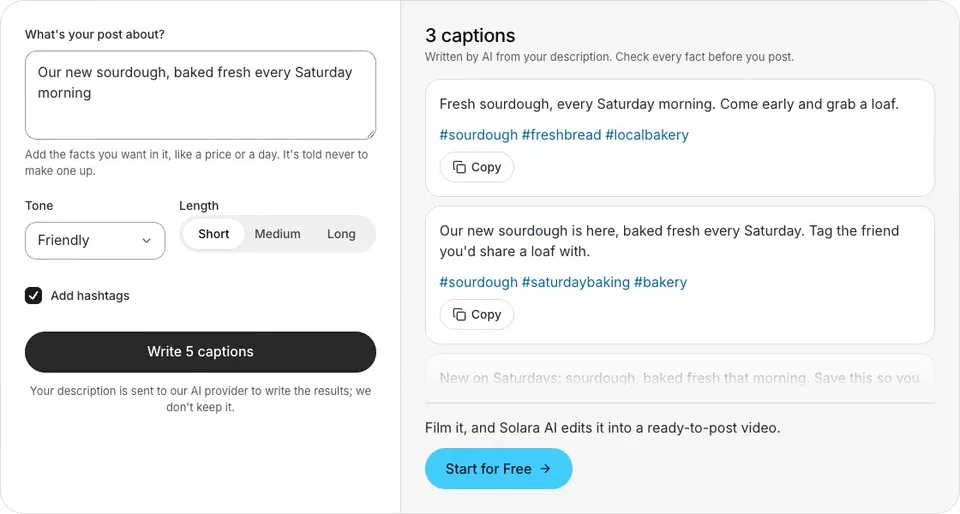
Example“Our new sourdough, baked fresh every Saturday morning”
Fresh sourdough, every Saturday morning. Come early and grab a loaf.#sourdough #freshbread #localbakery
Our new sourdough is here, baked fresh every Saturday. Tag the friend you'd share a loaf with.#sourdough #saturdaybaking #bakery
New on Saturdays: sourdough, baked fresh that morning. Save this so you don't miss it.#sourdough #weekendbaking #freshbread
See it in action
 Instagram
 yuvalstrutti
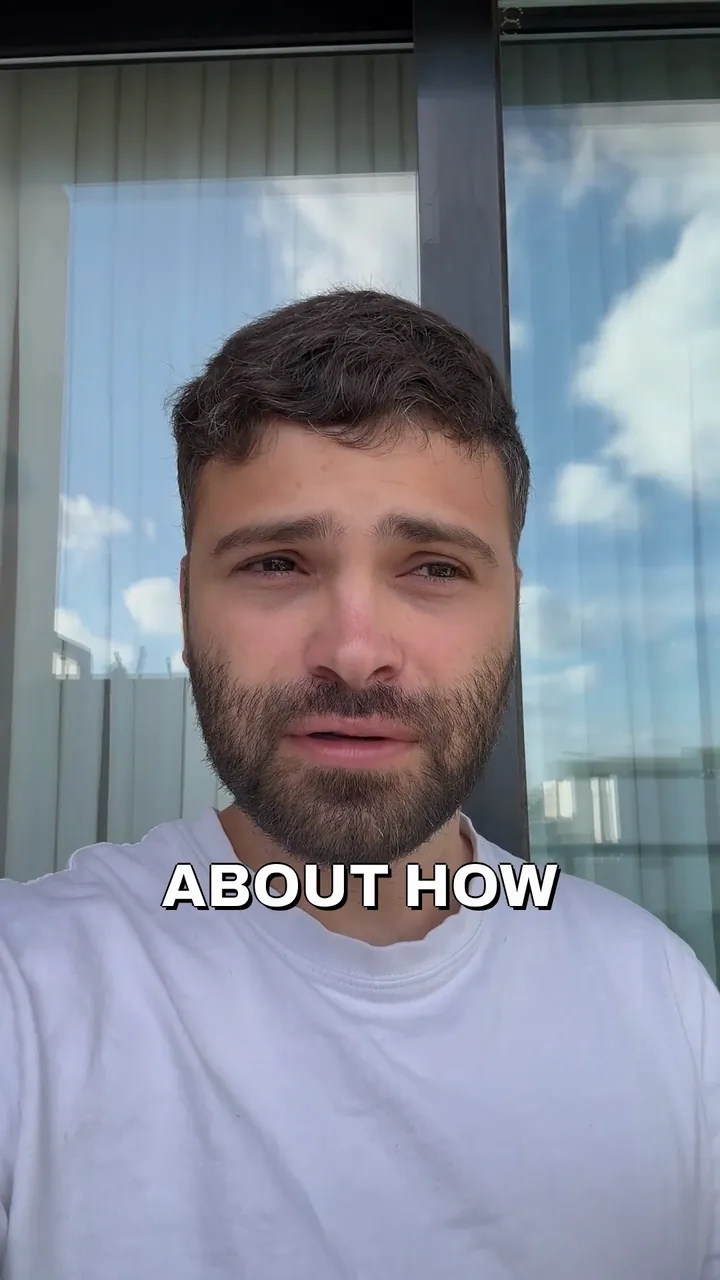
yuvalstrutti Fresh sourdough, every Saturday morning. Come early and grab a loaf.
#sourdough #freshbread #localbakery
How to use the Instagram caption generator
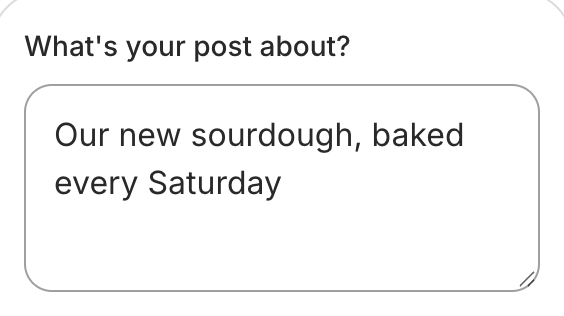
Describe your post
A sentence or two, with any fact it needs.
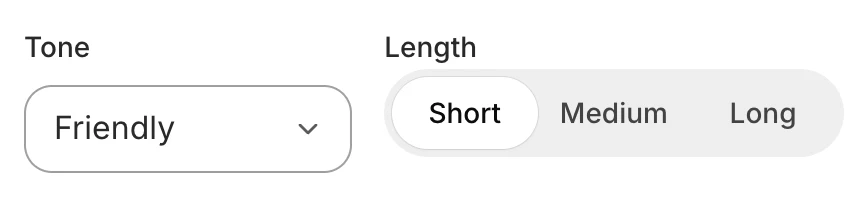
Pick a tone and a length
Hashtags on or off, as you like.
Copy the one you like
Paste it into Instagram.
How to write an Instagram caption people read
Put the hook in the first line
Instagram shows the start of a caption and hides the rest until someone taps more. Make that first line the reason to tap.
Say one thing
A caption that makes one point is easier to read than one that lists everything. Save the rest for your next post.
Write the way you talk
Short sentences and everyday words read well on a phone. Read it aloud: if it sounds like an ad, rewrite it.
End with one ask
Ask for one thing, like a comment, a save, a message or a booking, and say it once, at the end.
Use a few specific hashtags
Instagram allows up to five on a post. Pick ones that say what the post is about, where you are or who it's for.
Give it your facts
A price, a date or an address is what people act on. Put it in your description, and the captions use it as you wrote it.
Examples
You write
“A real estate agent's tip: what to fix before you list your home”
- Professional
- Medium length
It writes
Before you list your home, fix the small things buyers notice first.A dripping tap, a sticking door or a cracked tile can make buyers wonder what else needs work. Fix them before the photos are taken.Thinking of selling? Message me and we'll go through your list together.#realestatetips #sellingahome #homesellers
You write
“Why I stopped skipping leg day, from a personal trainer”
- Playful
- Short
It writes
I used to skip leg day. Here's why I stopped, and why you might too. Tell me your excuse below.#legday #personaltrainer #fitnesstips
You write
“Our salon is now open late on Thursdays, until 9pm”
- Friendly
- Short
- No hashtags
It writes
Late appointments are here: we're now open until 9pm on Thursdays. Message us to book your spot.
Instagram's caption rules
A caption can be up to 2,200 characters (Meta for Developers, the Instagram API reference).
A post or Reel can have up to five hashtags (Instagram Help Center).
Only the start of a caption shows under the post until someone taps more, so every caption here leads with its hook.
This generator keeps to both: every caption is under 2,200 characters, with at most five hashtags, or none if you turn hashtags off.
Posting it on TikTok too? Try the TikTok hashtag and caption generator
Not sure how to open the video? Write a hook with the TikTok script and hook generator
Want captions on the video itself? See auto captions
Making Reels? See the Reels and TikTok editor
Common questions
Is this Instagram caption generator free?
Yes. There's no sign-up and nothing to pay. You can generate 10 times an hour, and 30 times a day.
How does it write the captions?
An AI model writes five captions from your description, each from a different angle: the hook in the first line, one ask at the end, and up to five hashtags if you want them. It's told to use only the facts you type, so add a price, a date or a place if it belongs in the caption, and check each one before you post.
How many hashtags should I use on Instagram?
Instagram allows up to five on a post or Reel. Pick ones that say what the post is about, where you are or who it's for. The generator adds up to five, or none if you turn hashtags off.
How long can an Instagram caption be?
Up to 2,200 characters. Only the start shows until someone taps more, so the first line does the most work. Pick Short for a line or two, Medium for a few sentences, or Long for two or three short paragraphs.
Can it write captions in another language?
Yes. Describe your post in the language you want, and the captions come back in it.
Is my description saved?
Your description is sent to our AI provider to write the results; we don't keep it. It goes to Anthropic's Claude, the AI model that writes the options, and the options come straight back to this page. Solara AI doesn't save or log your description or the options.
What can I do once I've filmed the Reel?
Upload it to Solara AI, which cuts it and adds captions, titles, zooms and sound effects, ready to post to Instagram, TikTok, Facebook, LinkedIn, YouTube and X. Try it free: 3 videos, clips up to 90 seconds.
Turn your phone videos into customers

- 3 videos free
- No credit card required
Posts to Instagram, TikTok, Facebook, LinkedIn, YouTube and X




