
Transcribe video to text for free
Transcribe video to text in your browser: drop in a clip, check the words, download an SRT.
or drop it here
MP4, MOV or WebM, up to 10 minutes. Only the sound is sent, to be transcribed. Nothing is kept.
How to make an SRT file from a video
Choose your video
MP4, MOV or WebM, up to 10 minutes. The video stays on your device: only its sound is sent.
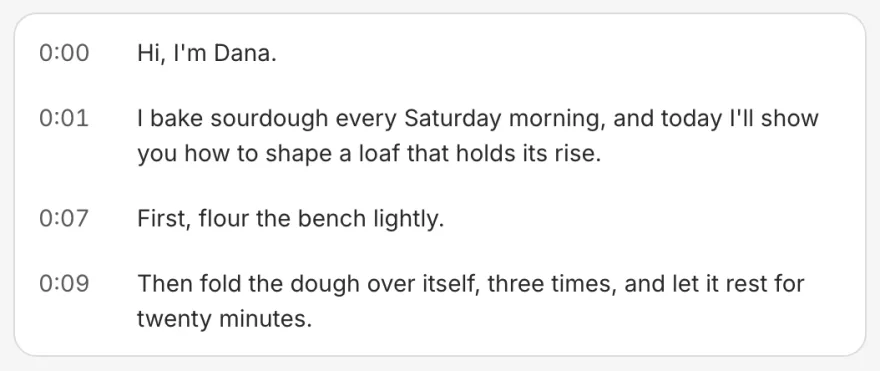
Check the words
The video plays with its captions. Click a line to jump to it and hear it again.
Download the file
Download SRT for YouTube or LinkedIn, VTT for a web page, TXT or Copy for the words alone.

Where to use your SRT file
Upload it to YouTube
In YouTube Studio > Subtitles, pick the video, add its language and choose Upload a file. YouTube takes a plain SRT.
Attach it on LinkedIn
Share the video from a computer, select Captions, then add a caption file: LinkedIn takes an SRT.
Play it on your own site
Download VTT, the format a web page's video player reads for captions, and add it to the video as a track.
From YouTube Help (caption files, adding them) and LinkedIn Help (sharing a video, closed captions), read 17 November 2026.
Tips for a cleaner transcript
Film close to the mic
Speech recorded close to the microphone, in a quiet room, comes out with far fewer wrong words.
One voice at a time
It writes down one person at a time best. Where two talk at once, check those lines.
Check names and numbers
Read the lines with names, numbers and brand words before you post: those are the words it most often gets wrong.
Want the captions on the video? See Solara AI's auto captions
Writing the next one? Time your script with the script timer
Ready to film it? Read it off the free online teleprompter
Common questions
Is it free to transcribe a video here?
Yes, with no sign-up: up to 5 videos and 20 minutes of video a day, each video up to 10 minutes long.
How do I turn an MP4 into an SRT file?
Choose the MP4 above. When the words appear, check them, then press Download SRT. The file is named after your video and opens in any text editor.
Which languages does it transcribe?
Dozens of languages: it hears which one you speak and writes the words in it. It uses Whisper, an open speech recognition model.
Is my video uploaded?
No. Your browser takes the sound out of the video, and only the sound is sent, to Groq, the speech-to-text service that turns it into words and is set to keep none of it. Solara AI keeps neither the sound nor the transcript.
How accurate is the transcript?
Close to word for word for clear speech in a quiet room. Background music, people talking over each other and unusual names bring mistakes, so read it before you post it.
Can I transcribe someone else's video?
Transcribe videos you made, or ones you have the right to use. Downloading someone else's video to transcribe it may break the platform's rules.
Can Solara AI put the captions on my video?
Yes. Upload the clip to Solara AI and it captions it, every word timed to your voice, in a style you pick; fix any word, then post it to Instagram, TikTok, Facebook, LinkedIn, YouTube and X. Try it free: 3 videos, clips up to 90 seconds.
Turn your phone videos into customers

- 3 videos free
- No credit card required
Posts to Instagram, TikTok, Facebook, LinkedIn, YouTube and X





