
Teleprompter for iPad
A free teleprompter for iPad. Read under the front camera, or mirror the text for a glass.
Your script and your take stay on your device: the script is saved in this browser only.
How to use the teleprompter on an iPad
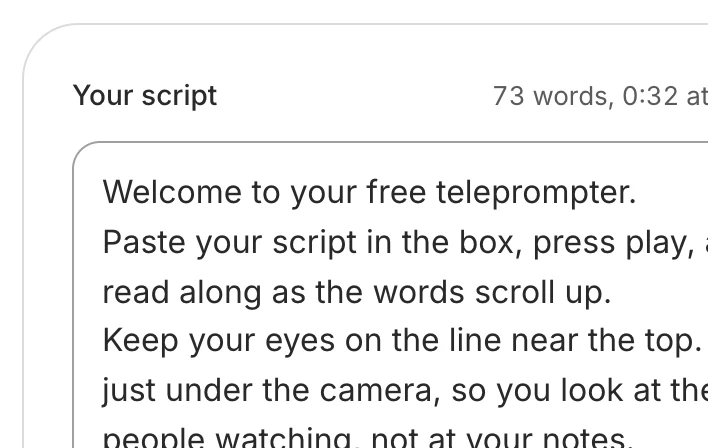
Paste your script
Open this page in Safari, no app to install. Your script is saved in Safari on this iPad.
Mirror it for a glass
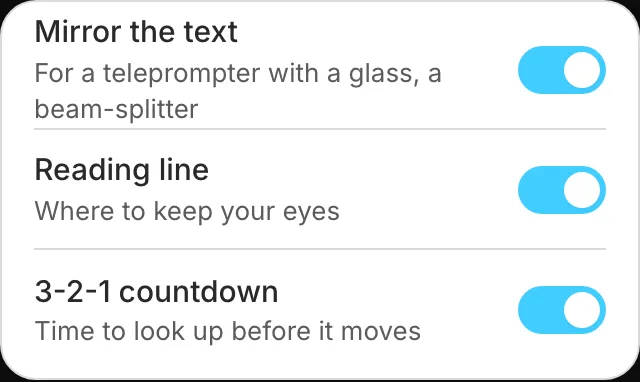
With a beam-splitter teleprompter, open Settings and turn on Mirror the text.
Press play
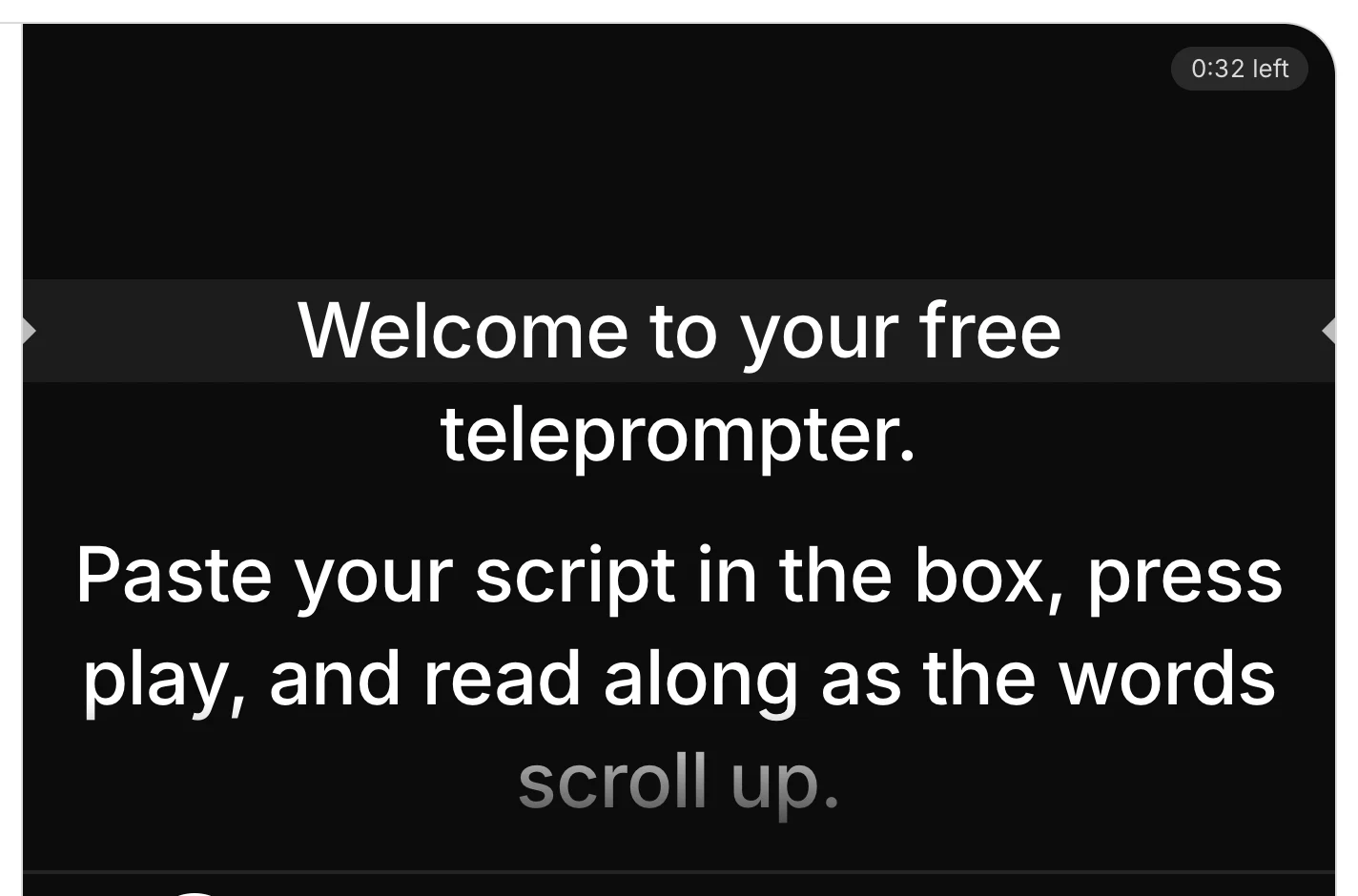
A 3-2-1, then the words scroll up. Tap the script to pause.
Go full screen
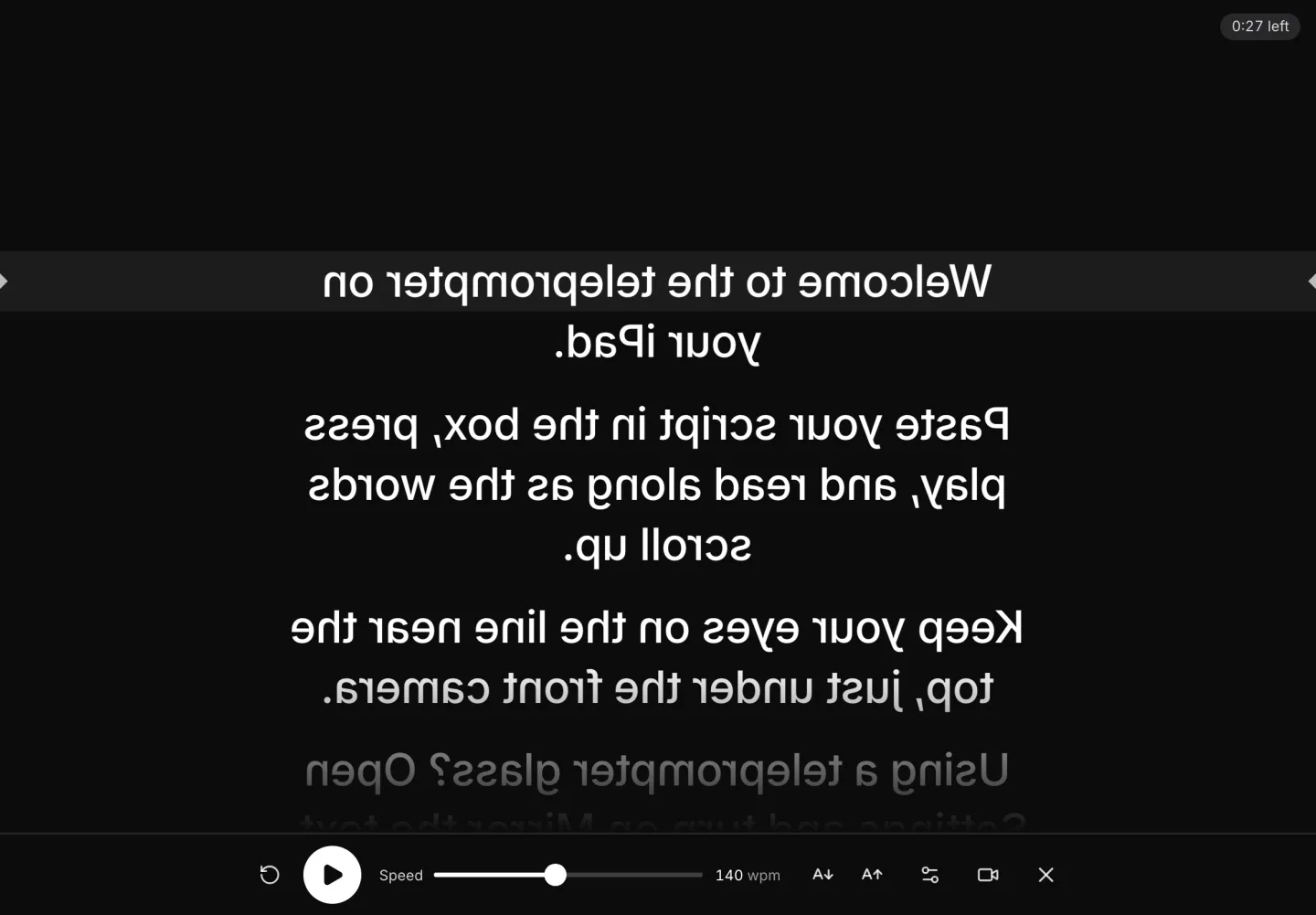
The script fills the screen, mirrored, so the glass shows it the right way round.
What's different on an iPad
Front camera
On the long edge of every iPad Apple sells now: hold it sideways. Older iPads: upright.
Teleprompter glass
Lay the iPad under the glass, screen up, and turn on Mirror the text.
Keyboard or remote
The space bar plays and pauses; the arrow keys move a line.
Your take
Safari saves an MP4 to Downloads in the Files app.
Camera positions: Apple, Identify your iPad model and iPad mini (A20 Pro) tech specs, read 17 November 2026.
Tips for reading on an iPad
Stand it at eye level
Prop the iPad on a stand or a stack of books, the camera level with your eyes, so it looks at you straight on and not from below.
Bigger text for a glass
A teleprompter glass sits further from you than a screen in your hand. Raise the text size until you can read it from where you stand.
Lock the rotation
Turn on Rotation Lock in Control Center before you start, so the script doesn't turn if the iPad moves.
Want it edited and posted for you? See how Solara AI edits your take
On another screen? Open the free online teleprompter
How long is your script? Time it with the script timer
Want your script written for you? See Solara AI's teleprompter
Filming at a Mac? Teleprompter for Mac
On a Windows PC? Teleprompter for Windows
Filming on your phone? Teleprompter for phone: iPhone and Android
Speaking on a Zoom call? Teleprompter for Zoom calls
Common questions
Do I need a teleprompter app for iPad?
No. This teleprompter runs in Safari on your iPad, free and with no sign-up. Add it to your Home Screen from Safari's Share menu to open it like an app.
How do I use it with a teleprompter glass?
Lay the iPad under the glass, screen up, open Settings on the teleprompter and turn on Mirror the text. The words flip left to right, so the glass shows them the right way round. Your camera films through the glass.
Should I hold my iPad sideways or upright?
With the front camera at the top. On every iPad Apple sells now, that camera is on the long edge, so hold it sideways; on older iPads it is on the short edge, so hold them upright.
Can I control it with a keyboard or a remote?
Yes. A Bluetooth keyboard's space bar plays and pauses, and its arrow keys move the script a line. A remote or pedal that sends the space bar or the arrow keys works the same way.
What can I do with the video once I've filmed it?
Download it and post it as it is, or upload it to Solara AI, which cuts it and adds captions, titles, zooms and sound effects, ready to post to Instagram, TikTok, Facebook, LinkedIn, YouTube and X. Try it free: 3 videos, clips up to 90 seconds.
Turn your phone videos into customers

- 3 videos free
- No credit card required
Posts to Instagram, TikTok, Facebook, LinkedIn, YouTube and X





