See which posts worked, in Solara AI
 Yuval Strutti
Hi 🙂
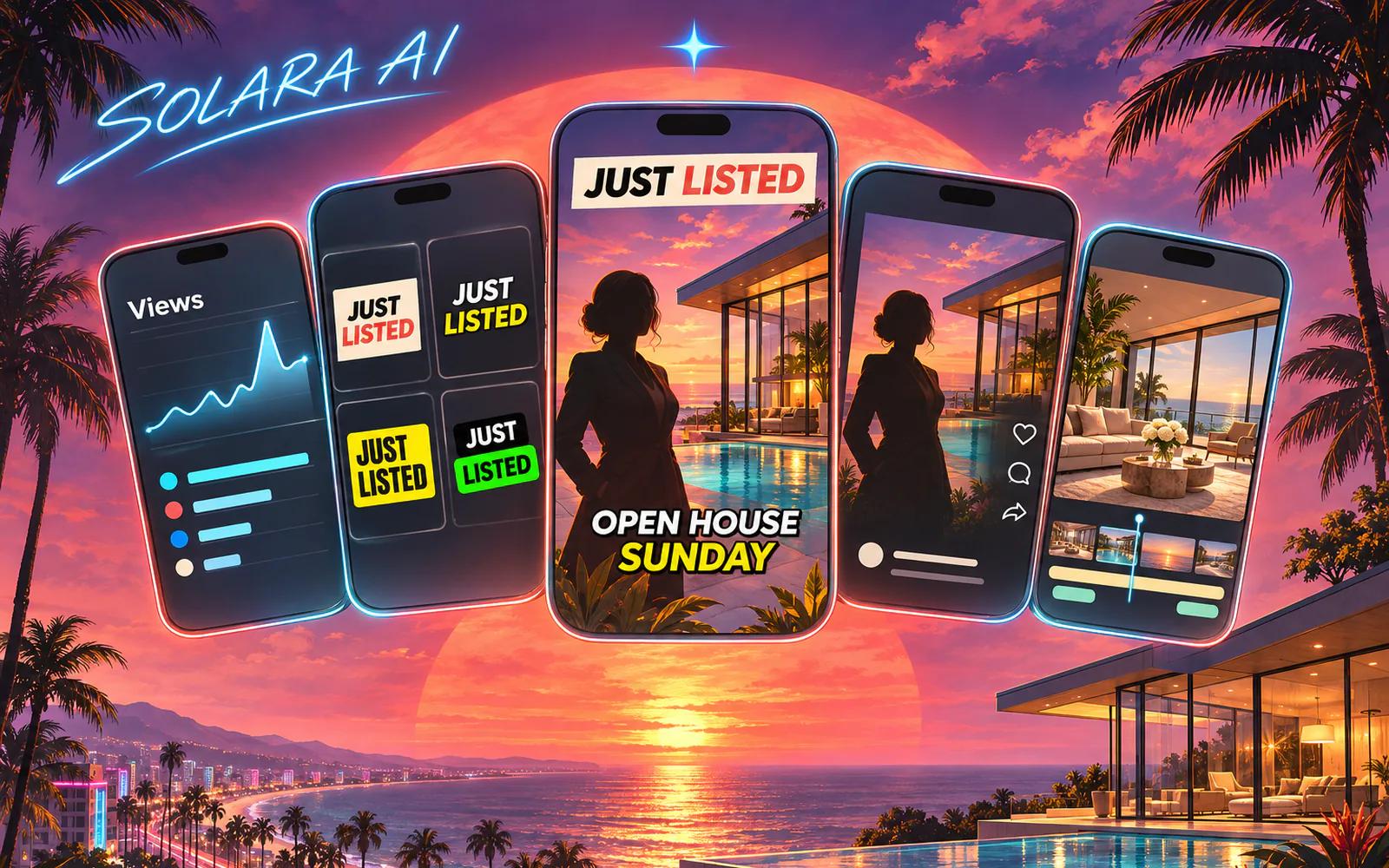
Two weeks ago your AI agent learned to edit and post your videos. Now Solara AI shows you which posts worked, so you know what to film next. It posts to four more places, and the edit got a lot better too.

Videos that grow your business
- Free to try
- Edits in one click
- Plans schedule posts to Instagram, TikTok, Facebook, LinkedIn, YouTube, X, Threads, Pinterest, Bluesky and Google Business Profile
- Watch your engagement and views skyrocket










See which posts worked
Solara AI's Performance page: TikTok's views per day rising against the 30 days before, and every platform's views ranked, TikTok first.
The new Performance page shows how every post did: views, reach, likes, comments, shares and saves, and your followers over time.
Open a video’s post to see how long people watched: how many were still watching three seconds in, and how many stayed to the end. By platform ranks where your videos do best, and how each one changed.
If Performance asks you to reconnect an account, do it once: an account connected earlier can’t share its numbers until you do.
B-roll on the right words
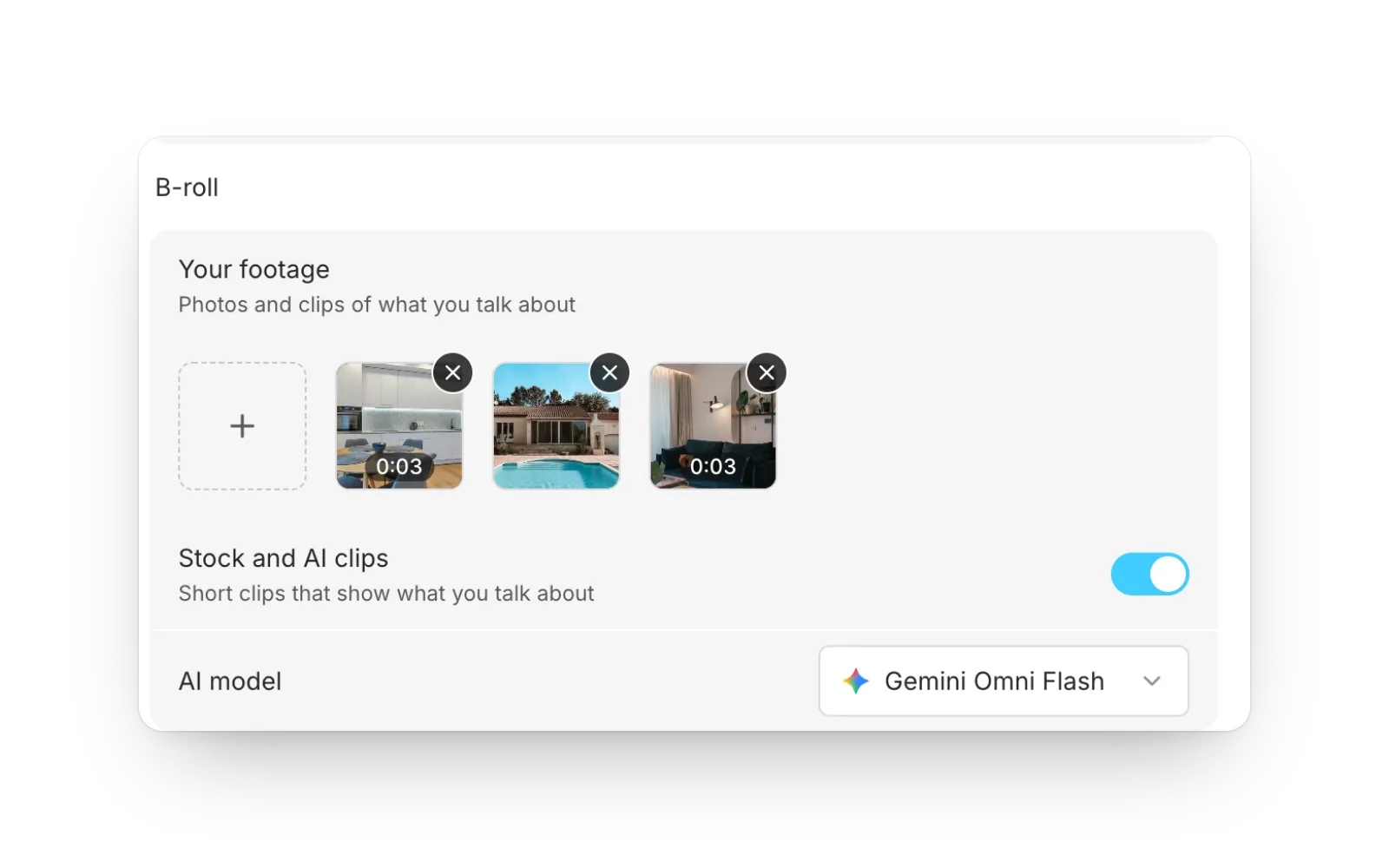
When Solara AI edits your video, it now adds b-roll where you talk about something: your own footage first, on the line that mentions it, then a stock clip when one clearly fits. On a paid plan, it can also make a clip with AI.
Don’t like one? Tap Try another. On a paid plan, you can also describe the clip you want, and Solara AI makes it.
Add your footage on the plan screen before you create the video: your shop, your product, the house you’re selling. See how Solara AI edits your video.
Put your own photos and clips anywhere
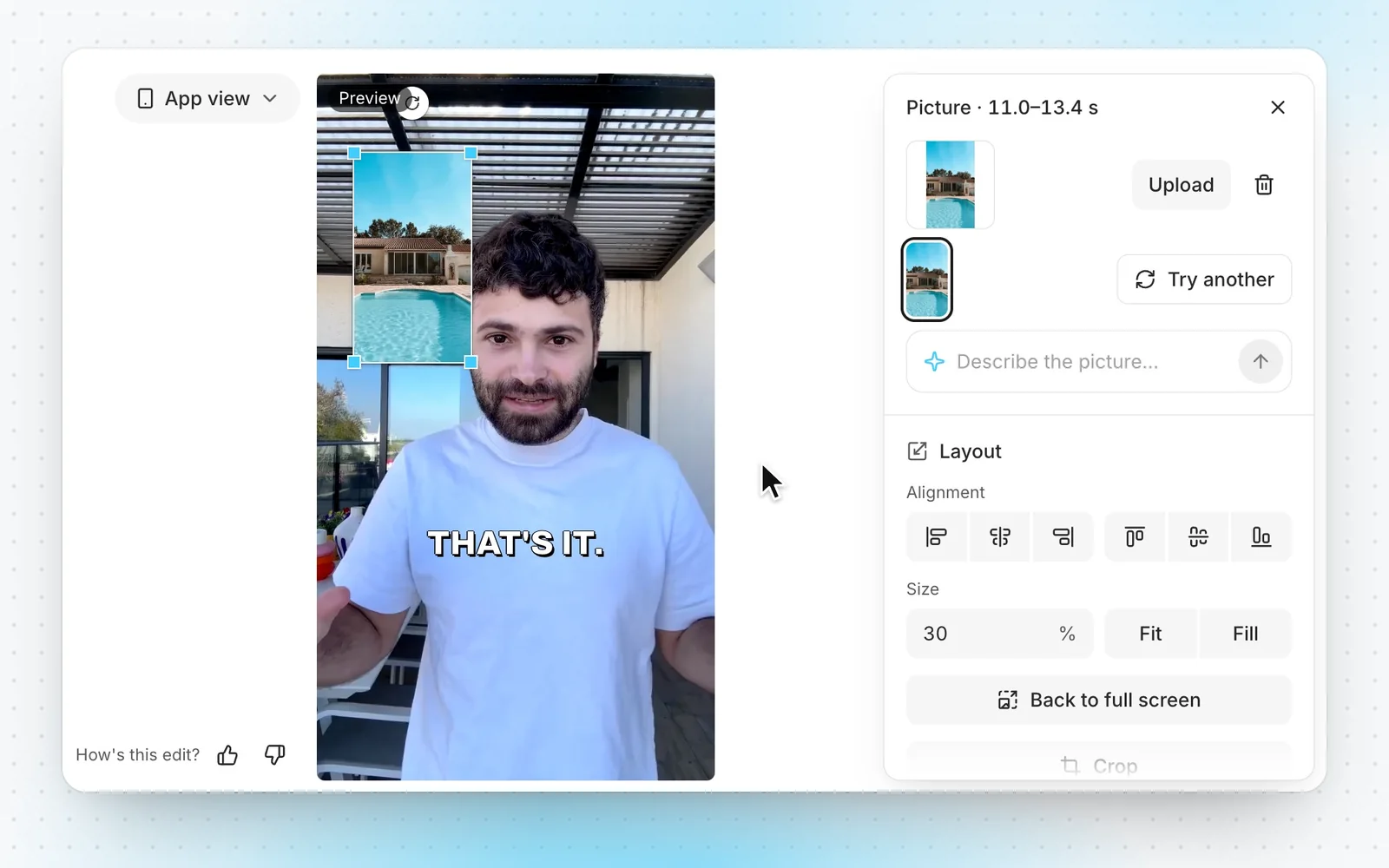
Drop a photo or a clip on the timeline, or ask the AI to add one, over any moment of your video. Move it, resize it, turn it and crop it right on the preview.
A clip keeps its sound, and plays at any speed from 0.25× to 4×.
See it as each app shows it
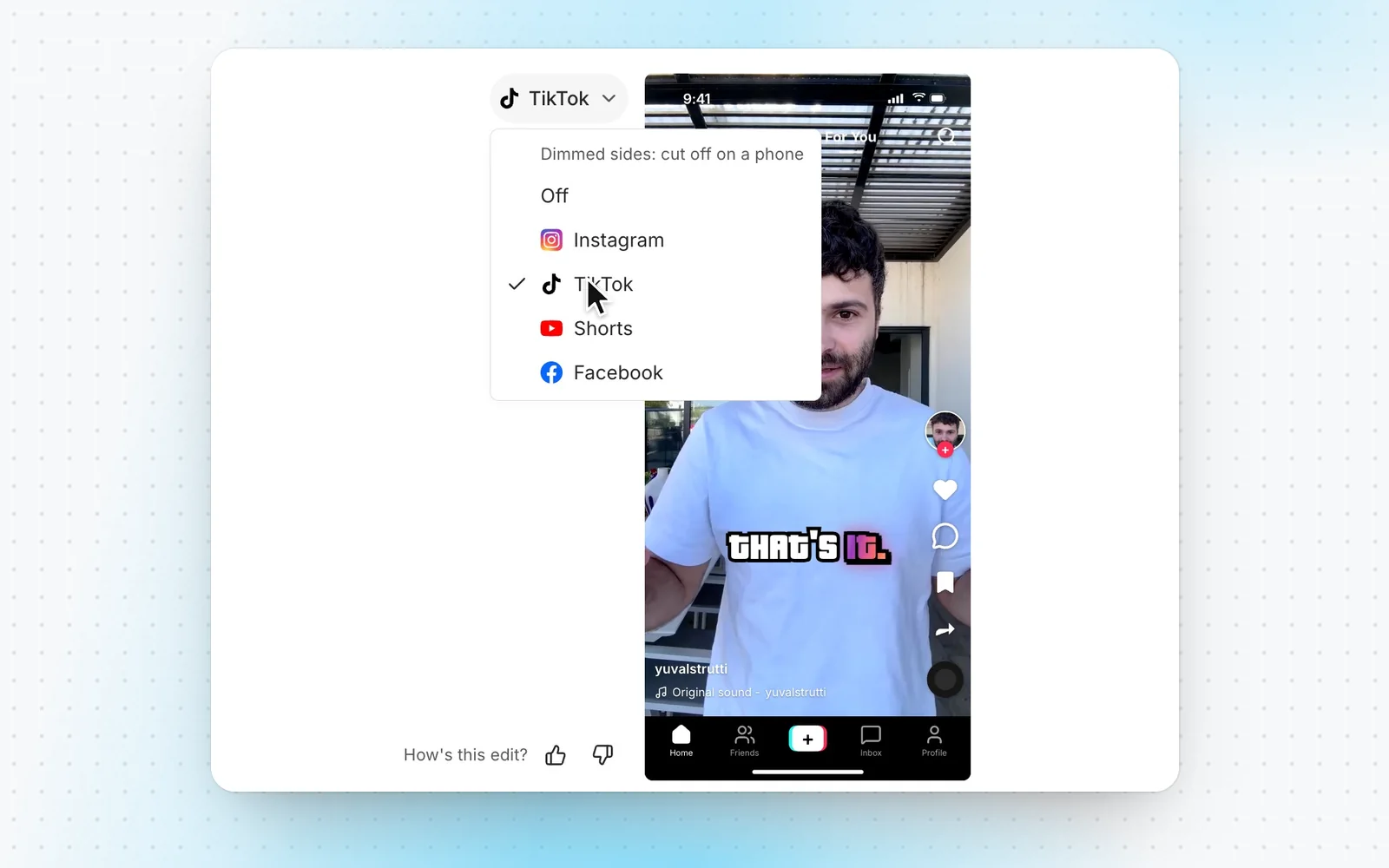
Tap App view beside the preview and pick Instagram, TikTok, Shorts or Facebook: your video shows with that app’s buttons over it, and the edges a phone cuts are dimmed.
And Solara AI now keeps every word inside the safe area: captions and titles never run off the sides of a phone’s screen, in Hebrew too.
Four new places to post
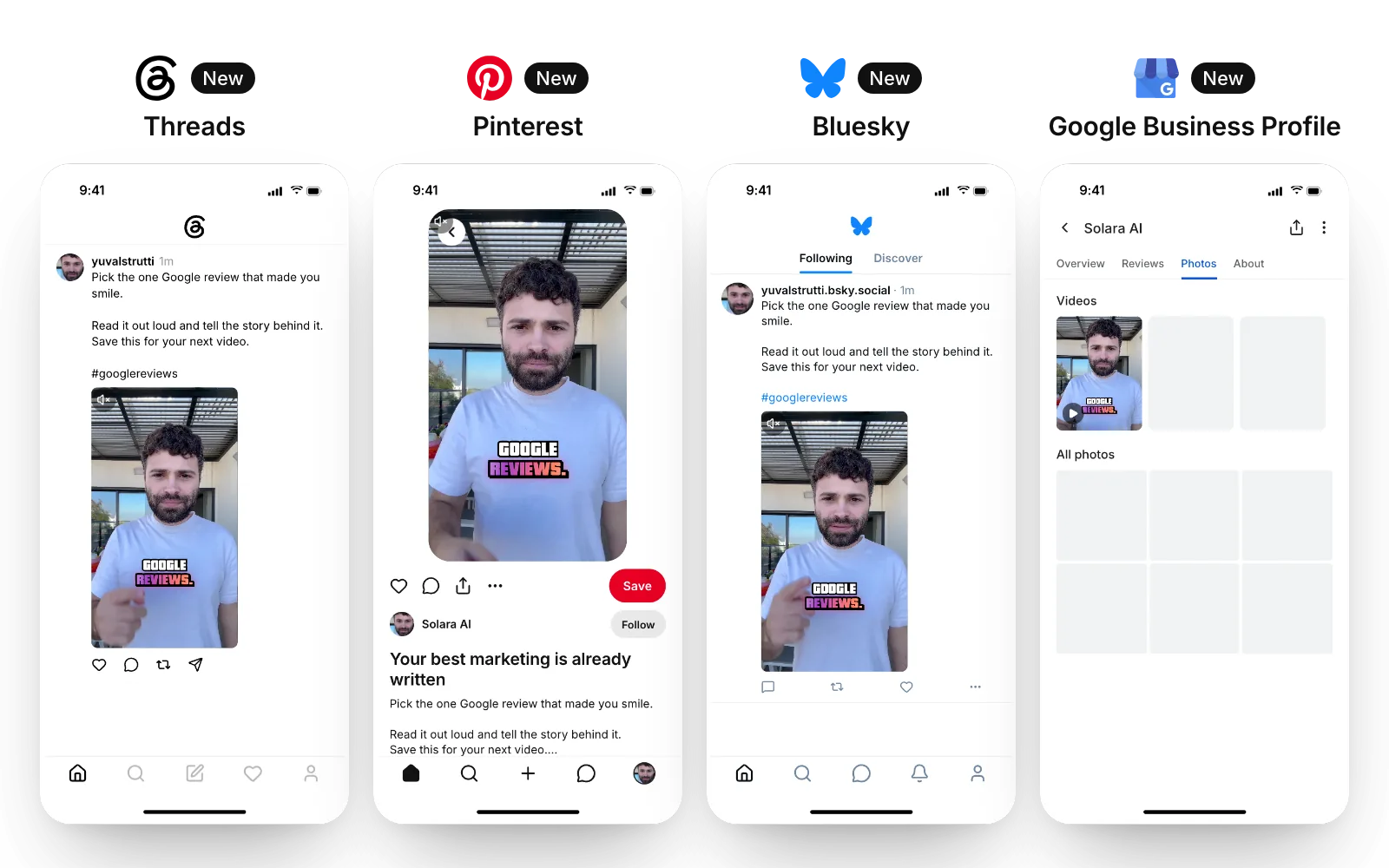
Threads, Pinterest, Bluesky and Google Business Profile are new in Solara AI: 10 places to post to in all, from the same calendar. See how posting and scheduling work.
- Threads: text, photos or a video, a whole thread, and a first comment. Performance reads your Threads numbers too.
- Pinterest: a photo, up to five photos, or a video, pinned to the board you pick. It needs a Pinterest Business account, which is free to switch to.
- Bluesky: text, up to four photos, or a video, with replies under it as a thread.
- Google Business Profile: an Update, an Event or an Offer on your business’s profile, or a video of up to 30 seconds in its photos and videos.
GTA 6 turns your video into a sunset poster

GTA 6 is a new style in Solara AI: your video opens on a painted poster of you, your shots get a violet-to-coral sunset grade, and your captions come in bold poster letters with the key word lit up. Its captions can go on any of your English videos too.
15 new caption styles and emojis
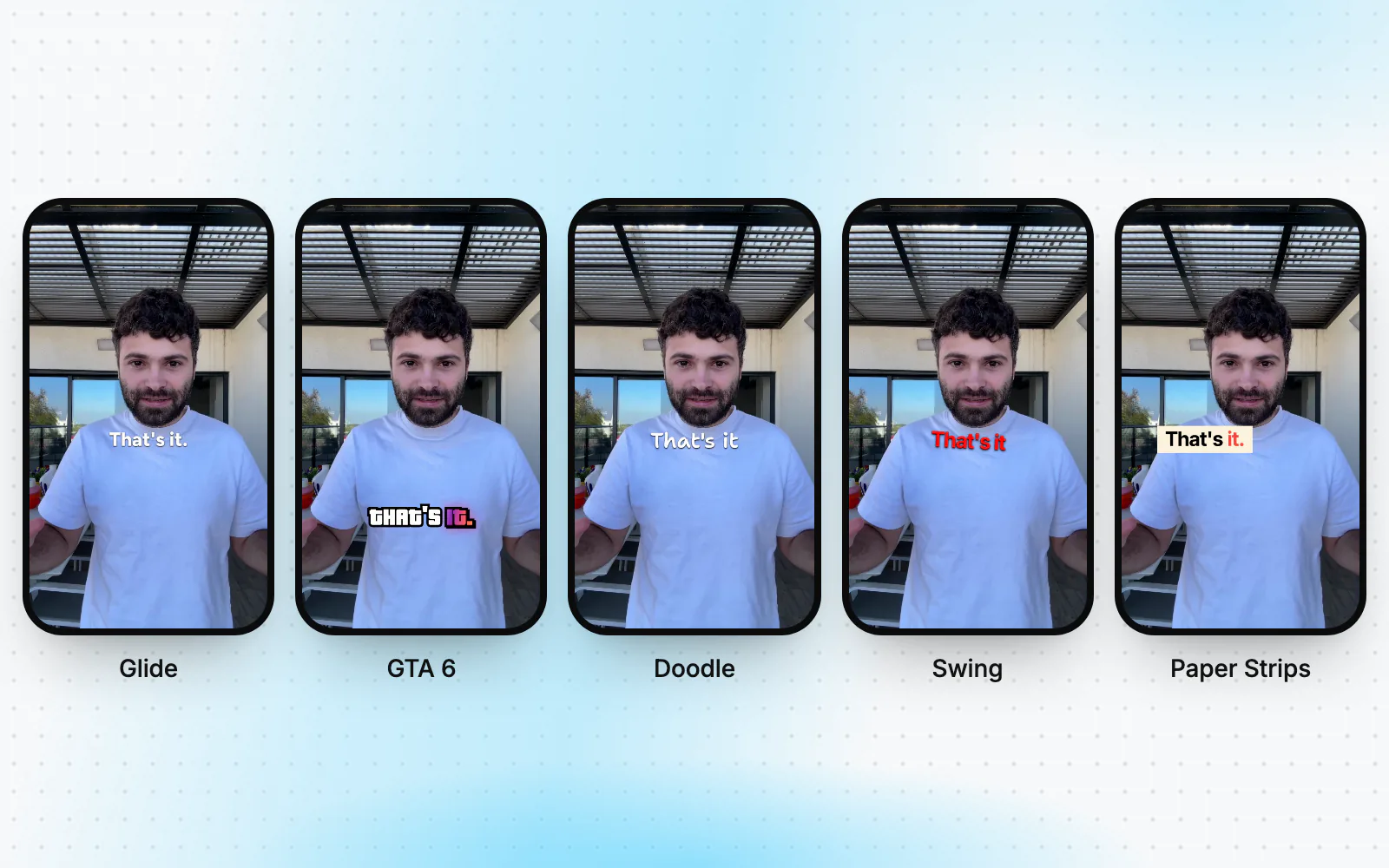
And 15 new caption styles, among them Glide, Doodle, Swing and Paper Strips. Most of them work in Hebrew too. In Captions › Style, tap a style and the next 10 seconds of your video play in it, muted, so you see it move before you choose. See how the captions work.
Your captions can have emojis now: Solara AI picks one where it fits a line. Change, add or remove any of them, choose where they sit, or turn them all off with one switch.
Smoother zooms, and your voice at the right volume
Zooms are smoother: Solara AI no longer jumps out of a normal shot with a sudden zoom-out, and your download plays exactly the zooms you saw in the preview.
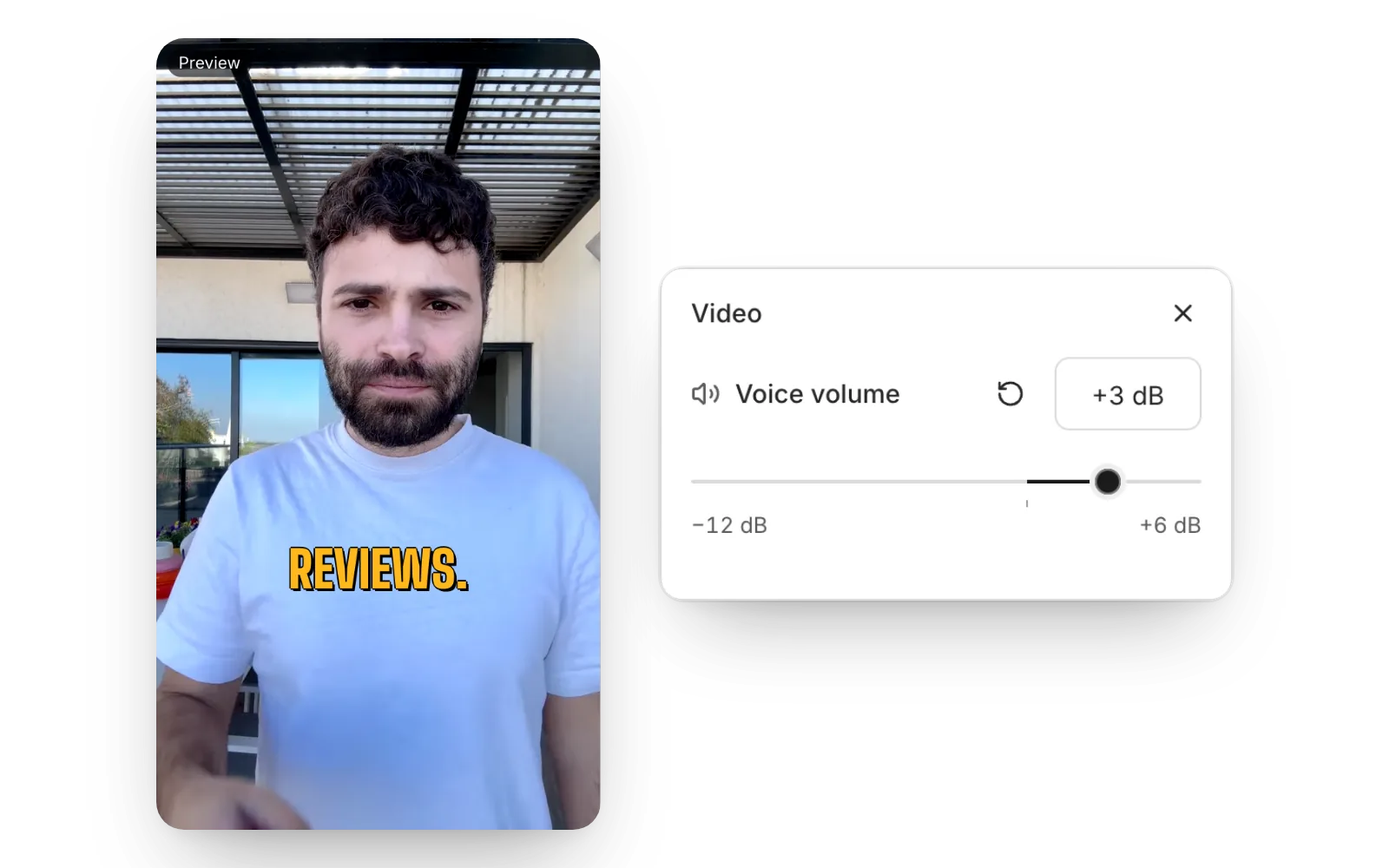
Voice volume is a smooth slider now. Turn your voice up or down, and the download sounds exactly like the preview, with the music kept in balance.
Captions and scripts that sound like you
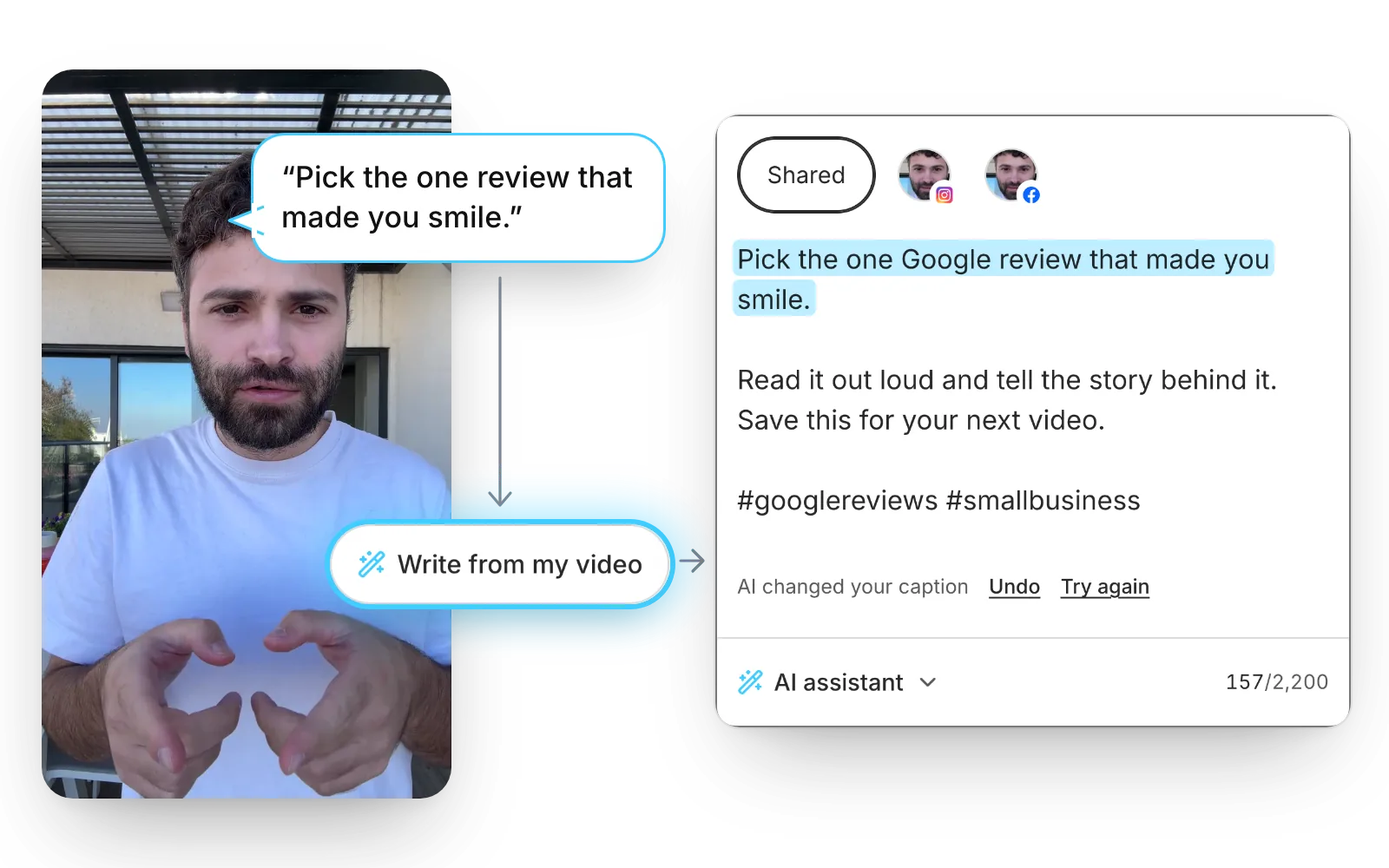
In New post, tap Write from my video: the AI assistant starts your caption with the best line of your video, adds to the video instead of repeating it, and ends with one clear ask. Each platform gets its own length and hashtags.
And the teleprompter’s AI scripts stick to what you tell them: no made-up offers, no made-up feelings.
So what else is new?
- Edit post can now add or remove accounts on a scheduled post.
- Posting a video to YouTube a second time? Solara AI asks first, and Post anyway posts it.
- Music now plays to the end of videos longer than two minutes.
- On an iPhone, the teleprompter’s camera fills the screen again when you come back from another app.
- Flare cuts cleaner: it flashes only into a full-screen headline or picture.
- Ask AI is the editor’s first column on a computer. Send it a screenshot or a file, and ask for several changes in one message.
- Your teleprompter scripts stay in the sidebar until you delete them, and the phone’s clips reorder by holding and sliding.
What should we build next? Tell us 🙂
Yuval Strutti
Co-founder & CTO, Solara AI