 By Yuval Strutti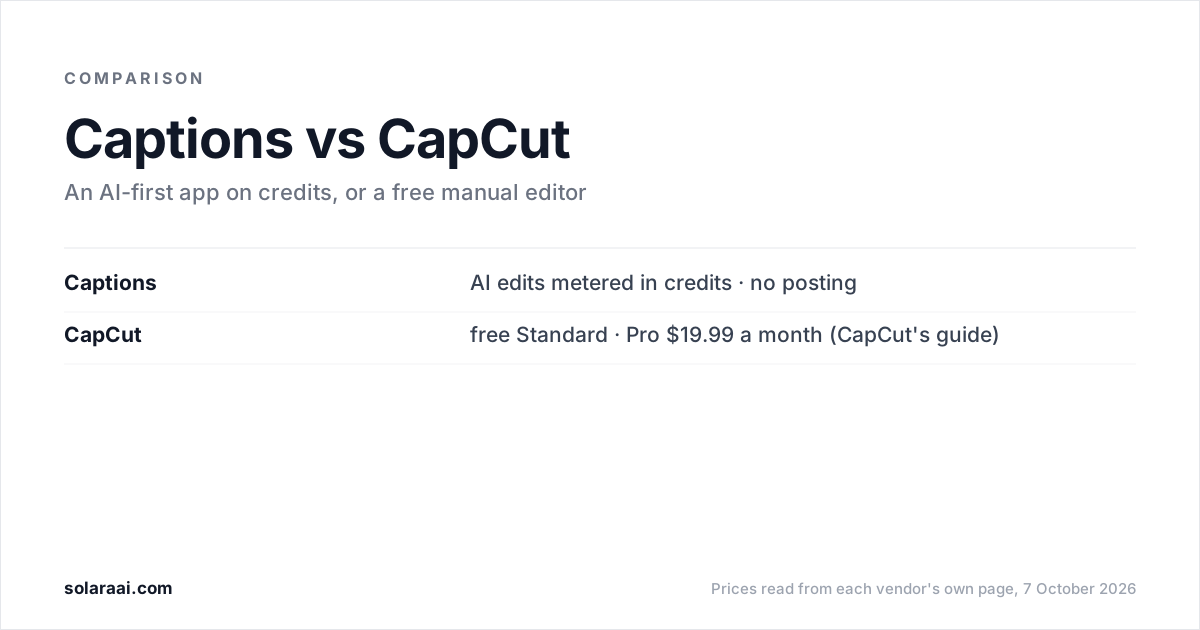
Pick CapCut if you want a free, full manual editor and are happy to do the cutting yourself; CapCut's own guide puts Pro at $19.99 a month. Pick Captions if you want AI to do the edit and a teleprompter to help you film; its Max plan is $24.99 a month for 500 credits. Prices checked 7 October 2026.
Captions' prices were read from its pricing page and help center on 7 October 2026; Captions says those prices reflect iOS plans only. CapCut's pricing page, capcut.com/pricing, would not load from the US that day, so CapCut's prices here come from CapCut's own guide, CapCut Standard vs Pro, dated 23 September 2026. Solara publishes this comparison, so check the numbers; every figure links to the vendor's own page.
| Compared | Captions | CapCut |
|---|---|---|
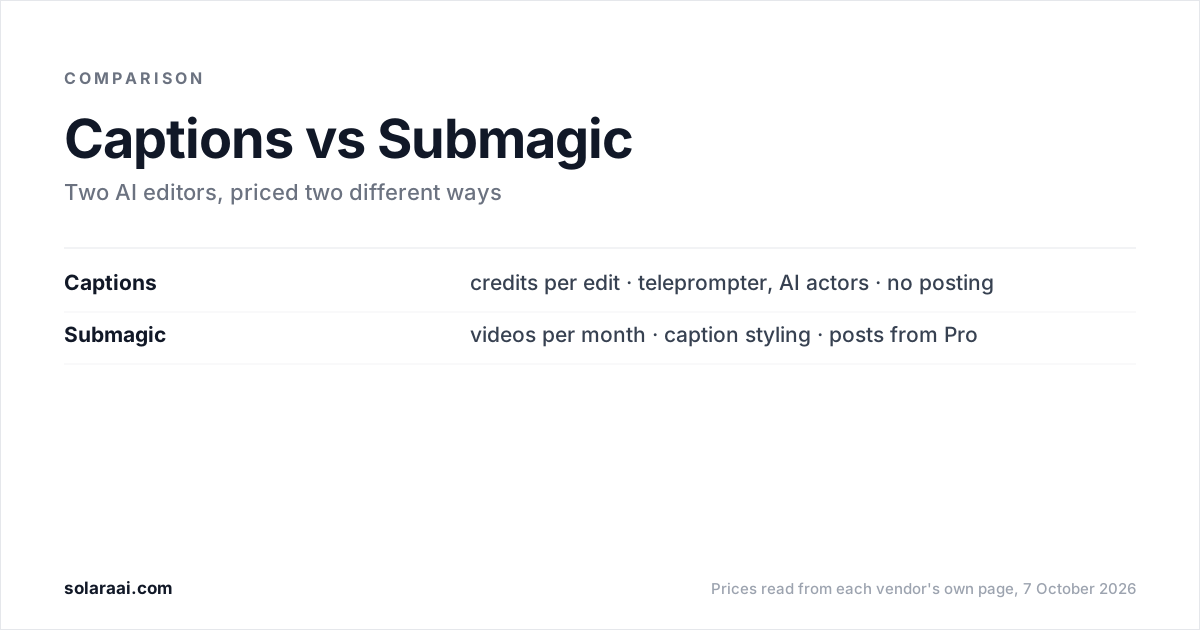
| Approach | AI-first: AI Edits, chat-based editing, fully produced videos with AI | Full manual editor: timeline, templates, effects, plus AI tools |
| Pricing model | Credits; an AI Edit costs 10 to 40 | Free Standard version, paid Pro subscription |
| Free option | 60 to 200 lifetime credits, 1 template, no watermark | Standard is the free version |
| Paid entry | $24.99 a month (Max), the first plan with AI Edit; Basic at $9.99 is in the help center only | $19.99 a month or $179.99 a year (Pro) |
| Auto subtitles | 1 caption template (Eclipse) on Free; curated AI Edit styles on Max | CapCut's own pages disagree on whether Pro is required |
| Teleprompter, AI actors | Teleprompter from Basic ($9.99); up to 30 AI Twins on Max | Not mentioned in the CapCut pages read for this article |
| Posting | No Captions page says it posts; you get a file | Shares to YouTube and TikTok on export |
| Made by | NOCAP, Inc. d/b/a Captions | ByteDance, TikTok's parent company |
What is the difference between Captions and CapCut?
Captions is an AI-first editing app that meters its AI features in credits. CapCut is a full manual editor from ByteDance, TikTok's parent company, with a timeline, templates and effects, plus AI tools, and its Standard version is free. With Captions, you ask the AI for an edit and spend credits. With CapCut, you make the edit yourself and pay nothing unless you want Pro.
That makes the choice mostly about your time and your patience with a timeline. CapCut gives you full manual control. Captions does more of the editing for you, and its teleprompter helps with the filming.
How much do Captions and CapCut cost?
CapCut Standard is free. CapCut Pro is $19.99 a month or $179.99 a year for individuals, and CapCut's Team plan "starts at around $24.99 per month", all according to CapCut's own Standard vs Pro guide. CapCut's pricing page could not be loaded from the US on 7 October 2026, so check it from your own region before you pay.
Captions has a free tier with 60 to 200 lifetime credits that do not refresh. Its pricing page lists Max at $24.99 a month for 500 credits, Frontier at $69.99, $139.99 and $279.99 for 1,400, 2,800 and 5,600 credits, and a custom-priced Enterprise plan. The help center also lists Basic, formerly Pro, at $9.99 a month for 200 credits, and Lite at $4.99 a month on Android only, for manual editing.
| Plan | Monthly | What it includes |
|---|---|---|
| CapCut Standard | $0 | The free version of CapCut |
| CapCut Pro | $19.99 ($179.99 a year) | CapCut's paid individual plan |
| CapCut Team | From around $24.99 | Team plan, per CapCut's guide |
| Captions Free | $0 | 60 to 200 lifetime credits, 1 template |
| Captions Lite | $4.99 | Manual editing, Android only |
| Captions Basic | $9.99 | 200 credits, teleprompter, no AI Edit |
| Captions Max | $24.99 | 500 credits, AI Edit, AI actors, generated b-roll |
Captions' credits are the part to plan around. Every AI feature draws from them. AI Edit and Chat to Edit start at Max, and Basic does not include AI Edit. An AI Edit costs 10 to 40 credits, so Max's 500 credits is roughly 12 to 50 AI Edits. Chat-based editing costs 2 credits per message, Prompt to Video costs 16 credits every 6 seconds, and credits are used even if a project is never exported. The full breakdown is in Captions pricing explained.
Does CapCut need Pro for auto captions?
CapCut's own pages disagree. Its Standard vs Pro guide says the auto caption generator is exclusive to Pro users. Its auto video editor tool page lists auto subtitles among the free features. Test captions in your own free account before paying for Pro to get them.
Captions' free tier includes 1 caption template, called Eclipse, with no watermark. Its Max plan adds curated AI Edit styles.
Is Captions better than CapCut for talking-head Reels?
Captions is better if the hard part is the talking. Its teleprompter, rebuilt in August 2026, adapts its scroll speed to how fast you speak, and it is included from the $9.99 Basic plan. Max adds digital twins and custom AI actors, up to 30 AI Twins, and AI Edits apply an edit for you at 10 to 40 credits each.
CapCut is better if you want control and a $0 bill. The free Standard version gives you a timeline, templates and effects, and you decide every cut. The cost is your time: CapCut hands you the tools and you do the editing.
Can Captions or CapCut post your video for you?
CapCut can share an exported video directly to YouTube and TikTok, according to CapCut's own auto video editor page.
No Captions page states that Captions publishes or schedules to social platforms. Captions returns a video file, and the posting is yours.
Captions or CapCut: which should you pick?
Match the tool to how you like to work:
- You want to pay nothing and are comfortable on a timeline: CapCut Standard.
- You post mostly to TikTok or YouTube and want to share straight from the export: CapCut.
- You struggle to speak to camera: Captions, whose teleprompter is included from Basic at $9.99.
- You want AI actors or a digital twin: Captions Max at $24.99 a month.
- You want AI to make the edit and can plan around a credit count: Captions Max, the first plan with AI Edit.
- You want to try AI editing for free: Captions' free tier, with 60 to 200 lifetime credits.
What if you want neither credits nor a timeline?
Captions asks you to count credits. CapCut asks you to learn a timeline. If you want the finished edit, and optionally the posting, without either, that is the lane Solara is built for. Solara is an AI short-form editor: you upload a clip or film with the Solara teleprompter, and it returns the finished, edited video after 6 production passes: cut for attention, captions, widgets, b-roll, full-screen moments and sound.
There are no credits and no length cap; volume follows your weekly posting schedule. The self-serve plan is $29 a month, or $290 a year, with a 30-day money-back guarantee. On it, Solara also writes the script for your business, texts you when to film, and publishes to Instagram, Facebook and TikTok on a schedule, with you approving each post. $150 once buys 3 fully edited short-form videos with nothing renewing, and the managed plan is $299 a month on a 6-month minimum. See Solara's plans.
Solara's limits: it has no AI actors or digital twins, which Captions has, and it publishes to Instagram, Facebook and TikTok only, not YouTube. Solara has no free plan, so if you want to control every cut for $0, CapCut is the better tool. For more options, see the best Captions app alternatives and the Captions AI alternative page.
Common questions
- Is Captions app better than CapCut?
- Captions is better for creators who want AI to make the edit and help with filming, through AI Edits, a teleprompter and AI actors on its $24.99 Max plan. CapCut is better for creators who want a free, full manual editor with a timeline, templates and effects. Captions meters its AI features in credits, while CapCut's Standard version is free.
- Is CapCut free?
- CapCut Standard is the free version of CapCut. CapCut Pro costs $19.99 a month or $179.99 a year for individuals, according to CapCut's own Standard vs Pro guide dated 23 September 2026. CapCut's pricing page could not be loaded from the US on 7 October 2026, so confirm the CapCut price in your region.
- Captions AI or CapCut: which is cheaper?
- CapCut is cheaper if its free Standard version covers what you need. Captions' free tier gives 60 to 200 lifetime credits that do not refresh. Captions' paid plans include Lite at $4.99 a month on Android only and Basic at $9.99, both listed in its help center, and Max at $24.99, the first Captions plan with AI Edit. CapCut Pro is $19.99 a month by CapCut's own guide.
- Does CapCut have free auto captions?
- CapCut's own pages disagree. CapCut's Standard vs Pro guide says the auto caption generator is exclusive to Pro, while CapCut's auto video editor page lists auto subtitles among its free features. Check inside the CapCut app before paying for Pro for captions alone.
- Is the Captions app worth it?
- Captions is worth it if you want a teleprompter that adapts to your pace, AI actors or digital twins, and AI Edits, and you can plan around credits. An AI Edit on Captions costs 10 to 40 credits, and Captions uses credits even if a project is never exported. No Captions page states that Captions posts to social platforms, so the upload is still yours.
- Can CapCut post to TikTok?
- Yes. CapCut's auto video editor page says you can click Export to save clips to your device or share them directly to platforms like YouTube and TikTok. No Captions page states that Captions publishes to social platforms; Captions returns a video file.
- Who makes CapCut and Captions?
- CapCut is developed by ByteDance, the parent company of TikTok. Captions is made by NOCAP, Inc., which does business as Captions, and the Captions legal pages link to Mirage. CapCut is a manual editor with AI tools, and Captions is an AI-first editor metered in credits.
Sources
- 1.Captions pricing — Captions
- 2.Understanding credits, Captions Help Center — Captions
- 3.Subscriptions and plans, Captions Help Center — Captions
- 4.CapCut Standard vs Pro — CapCut
- 5.CapCut online auto video editor — CapCut
Prices and figures were read from the sources above on 7 October 2026. Published rates change; check the original before relying on a number.