 By Yuval Strutti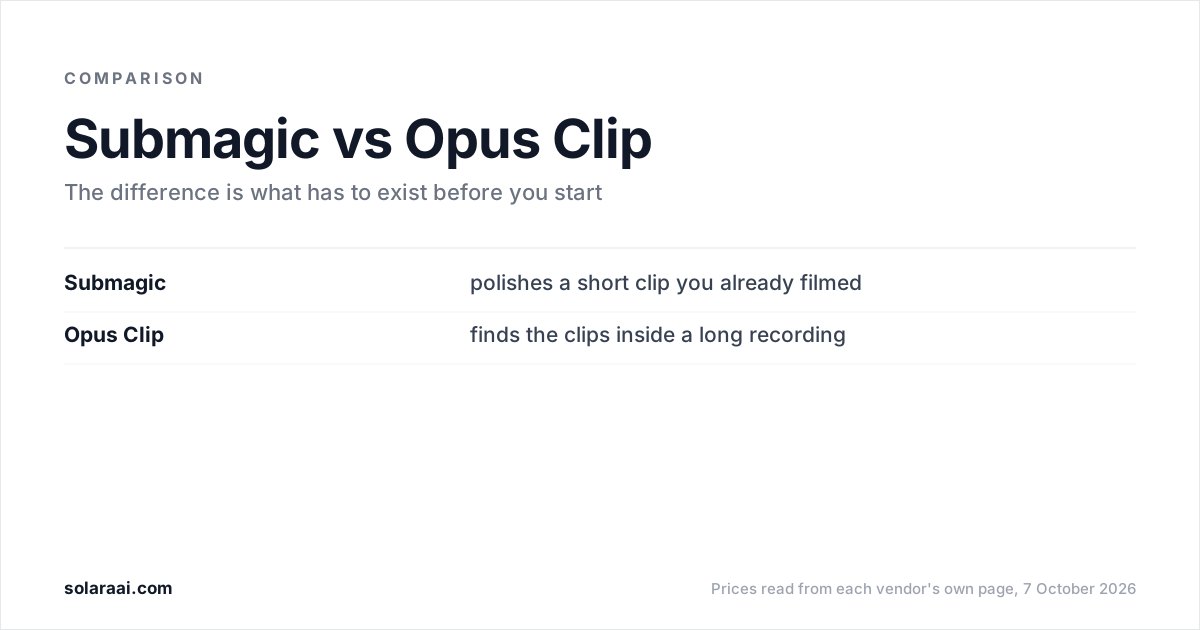
Use Submagic if you already filmed a short clip and want it polished: plans start at $19 a month for 15 videos, each capped at 2 minutes. Use Opus Clip if you have a long recording and want the good clips found inside it: paid plans start at $15 a month, and its free plan adds a watermark. Prices checked 7 October 2026.
Prices were read from Submagic's pricing page and Opus Clip's pricing page on 7 October 2026, in US dollars, monthly billing unless noted. Solara publishes this comparison, so check the numbers; every figure links to the vendor's own page.
| Compared | Submagic | Opus Clip |
|---|---|---|
| What you bring | A short clip you already filmed | A long video that already exists |
| What it does | Captions, trims and styles the clip | Finds clips and scores them with a Virality Score |
| Free option | No free plan stated | $0: 60 credits a month, watermark, no editing |
| Entry paid plan | $19 a month, or $12 billed yearly | $15 a month, monthly billing only |
| Limits | 2, 5 or 30 min per video, by plan | 60, 150 or 300 credits a month, by plan |
| B-roll | Free b-roll on Starter; Storyblocks b-roll from Pro ($39) | 3 AI-image and 3 stock clips a month on Starter; AI b-roll from Pro ($29) |
| Sound | Free audio on Starter; Storyblocks audio and AI clean audio from Pro | AI sound effects and music from Pro ($29) |
| Publishing | From Pro ($39); none on Starter | Auto-post to YouTube Shorts, TikTok and IG Reels from Starter ($15) |
| Caption styling | Largest template library in the category | Animated captions in 20+ languages |
What is the difference between Submagic and Opus Clip?
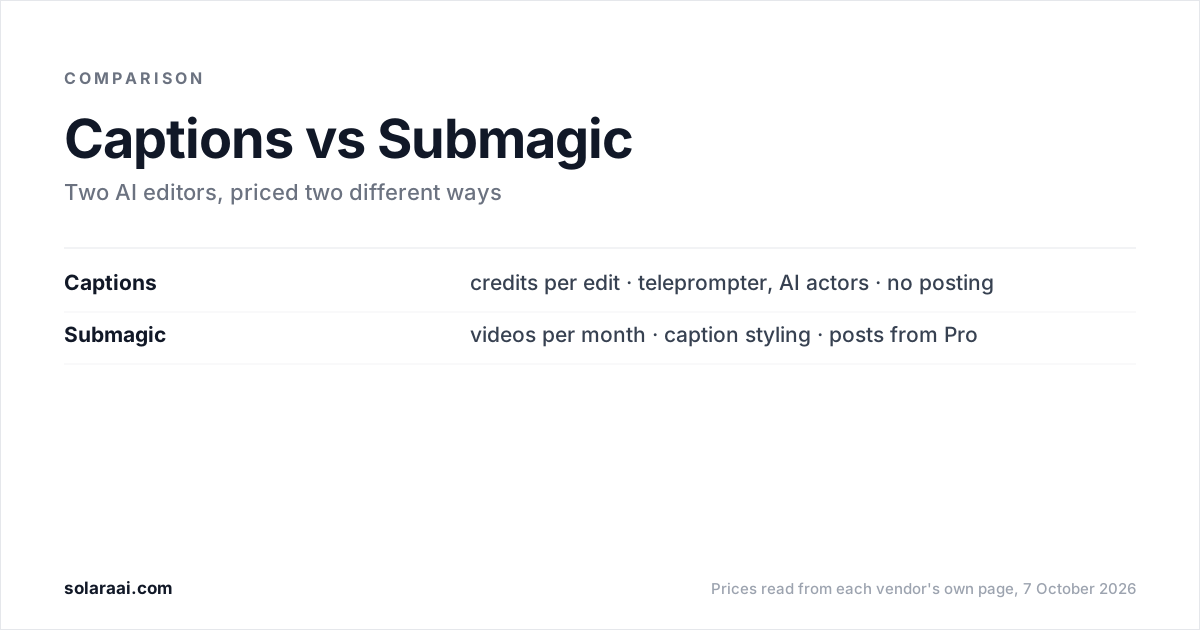
The input. Submagic's plans are built around polishing a short clip you have already filmed: it captions it, trims it, and on higher plans adds auto-zooms, Storyblocks b-roll and removal of bad takes and silences. Opus Clip's plans are built around finding clips inside a long recording, such as a podcast, webinar or interview, and turning them into short clips.
Most other differences follow from that. Submagic's limits are a length cap per video. Opus Clip's limits are credits per month. Submagic is the caption-styling specialist; Opus Clip is best at finding the good 30 seconds inside a long recording.
How much does Submagic cost compared with Opus Clip?
Opus Clip's paid plans start lower, at $15 a month, and it has a free plan. Submagic starts at $19 a month and states no free plan. Both offer a lower monthly rate on yearly billing, except Opus Clip's Starter plan, which is monthly only.
| Plan | Monthly | What it includes |
|---|---|---|
| Opus Clip Free | $0 | 60 credits, up to 1080p, watermark, clips exportable for 3 days |
| Opus Clip Starter | $15 (monthly only) | 150 credits, auto-post, 1 brand template, no watermark |
| Opus Clip Pro | $29 ($14.50 yearly) | 300 credits that roll over for 2 months, 2 seats, scheduler |
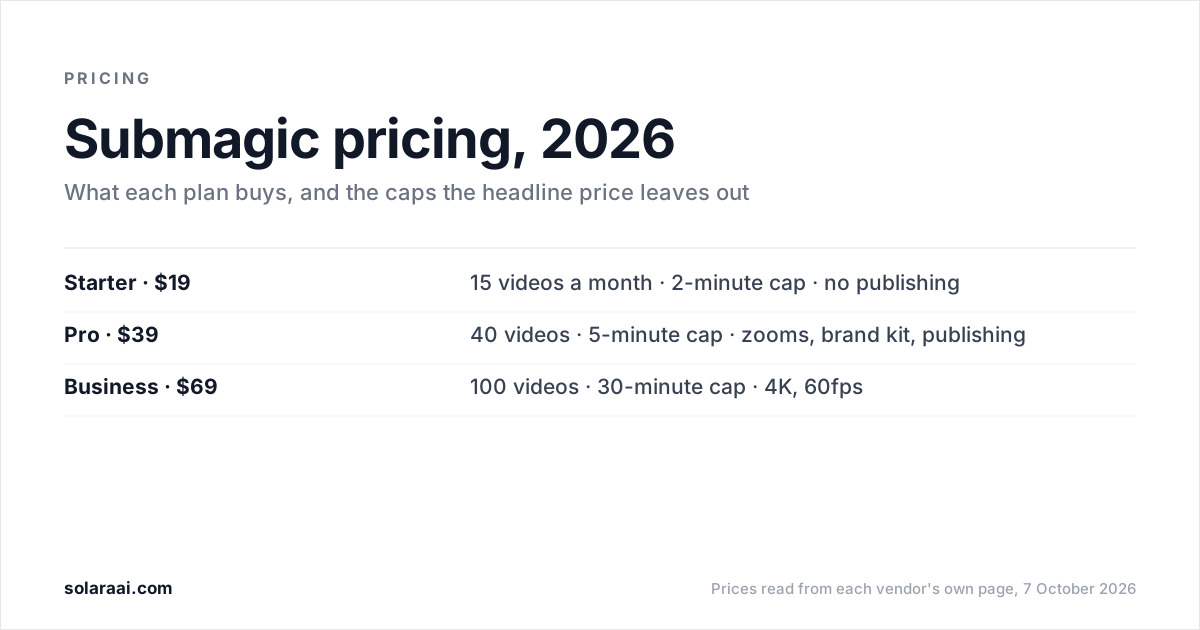
| Submagic Starter | $19 ($12 yearly) | 15 videos, 2-min cap, 1080p 30fps |
| Submagic Pro | $39 ($23 yearly) | 40 videos, 5-min cap, publishing, brand kit |
| Submagic Business | $69 ($41 yearly) | 100 videos, 30-min cap, 4K 60fps |
Opus Clip Business has custom pricing, and Submagic has a custom plan through sales. Submagic states its credit conversion on the pricing page (45 credits for 15 videos on Starter). Opus Clip counts credits instead, 60 on Free, 150 on Starter and 300 on Pro, so check Opus Clip's own page for what a credit buys before comparing it with Submagic's video count.
Plan-by-plan detail is in Opus Clip pricing explained and Submagic pricing explained.
Which is better for a clip you already filmed?
Submagic. It is the caption-styling specialist, with the largest template library in the category. Its Starter plan includes AI auto captions, standard caption templates, text-based trimming, and free b-roll and audio, with no watermark. Pro at $39 adds premium caption templates, AI auto-zooms, AI removal of bad takes and silences, AI clean audio and a brand kit.
Mind the length cap. Starter stops at 2 minutes per video, Pro at 5 and Business at 30. If your clips run longer than 2 minutes, you need Pro or Business.
Which is better for turning a podcast or webinar into clips?
Opus Clip. Finding the good 30 seconds inside a long recording is what it is best at. Its paid plans include AI clipping with a Virality Score and animated captions in 20+ languages. Pro adds input from 10+ sources, export to Premiere Pro and DaVinci Resolve, and output in 9:16, 1:1 and 16:9.
The trade-off is that Opus Clip needs a long video that already exists. If you do not record podcasts, webinars or long interviews, it has little to work with.
Which plan unlocks b-roll and sound?
Submagic's entry plan includes more b-roll and audio; Opus Clip saves most of it for Pro. Here is where each one arrives:
- Submagic Starter ($19): free b-roll and audio.
- Submagic Pro ($39): Storyblocks b-roll and audio, AI auto-zooms and AI clean audio.
- Opus Clip Starter ($15): 3 AI-image and 3 stock b-roll clips a month.
- Opus Clip Pro ($29): AI b-roll from image, video and stock, plus AI sound effects and music.
Do Submagic and Opus Clip post to social media?
Both do, at different price points. Opus Clip's $15 Starter plan auto-posts to YouTube Shorts, TikTok and IG Reels, and Pro adds a social media scheduler with 6 social account connections. Submagic's publishing starts on Pro at $39: you pick a date, choose platforms and publish from the editor, with 1 publishing profile per platform, or 3 on Business. Submagic's Starter plan has no publishing.
Submagic or Opus Clip: which should you use?
Match the tool to what you already have:
- You film short talking-head clips and want the largest caption template library: Submagic.
- You record long podcasts, webinars or interviews: Opus Clip.
- You want auto-posting on the cheaper of the two posting plans: Opus Clip Starter at $15 a month.
- You want to try one before paying: Opus Clip's free plan, with a watermark and no editing.
- Your filmed clips run past 2 minutes: Submagic Pro or Business.
- You finish edits in Premiere Pro or DaVinci Resolve: Opus Clip Pro.
What if you have neither a filmed clip nor a long recording?
Both tools start from footage that already exists. Submagic needs a clip you filmed; Opus Clip needs a long video. If the thing stopping you is that nothing got filmed this week, neither tool covers that step.
Solara is an AI short-form editor built for that gap. On the self-serve plan it writes the script for your business, texts you when to film (about 2 minutes on your phone, with the Solara teleprompter), and returns the finished, edited video after 6 production passes: cut for attention, captions, widgets, b-roll, full-screen moments and sound. It publishes to Instagram, Facebook and TikTok on a schedule, with you approving each post. There are no credits and no length cap; volume follows your weekly posting schedule.
The self-serve plan is $29 a month or $290 a year, with a 30-day money-back guarantee. $150 once buys 3 fully edited short-form videos with nothing renewing; that option is editing only, with no scripts or posting. The managed plan is $299 a month on a 6-month minimum, with a team handling script writing, video editing, creative research and publishing strategy. See Solara's plans.
Where Solara is weaker: it is not built to cut a long podcast or webinar into many clips, and Opus Clip is best at that. It has fewer caption templates than Submagic. It does not publish to YouTube. Side-by-side detail is on the Opus Clip alternative and Submagic alternative pages.
Common questions
- Is Submagic better than Opus Clip?
- Submagic is better for polishing a short clip you already filmed, and it has the largest caption template library in the category. Opus Clip is better for finding clips inside a long recording such as a podcast or webinar. Submagic starts at $19 a month and Opus Clip's paid plans start at $15 a month, as read on 7 October 2026.
- Is Opus Clip free?
- Opus Clip has a free plan at $0 with 60 credits a month, exports up to 1080p, auto reframe and AI captions. Opus Clip's free clips carry a watermark, the plan includes no editing, and clips stop being exportable after 3 days. Submagic states no free plan; its pricing page says "Try for free" without stating terms.
- Which is cheaper, Submagic or OpusClip?
- OpusClip's paid plans start lower: Starter is $15 a month, billed monthly only, and Pro is $29 a month or $14.50 a month billed yearly. Submagic Starter is $19 a month or $12 billed yearly, and Submagic Pro is $39 or $23 billed yearly. OpusClip counts credits while Submagic counts videos, so compare each allowance against how you work.
- Can Submagic or Opus Clip post to TikTok?
- Opus Clip auto-posts to YouTube Shorts, TikTok and IG Reels from its $15 Starter plan, and Opus Clip Pro at $29 adds a scheduler with 6 social account connections. Submagic schedules and publishes to the platforms you choose from inside its editor, starting on the $39 Pro plan. Submagic's $19 Starter plan has no publishing.
- Do I need a long video to use Opus Clip?
- Yes. Opus Clip is built to find clips inside a long recording, so it needs a long video that already exists. If you only have short clips you filmed yourself, Submagic is the closer fit.
- Which is better for talking-head Reels, Submagic or Opus Clip?
- Submagic is the better fit when the talking-head clip is short and already filmed, as long as it fits the 2-minute cap on Starter or the 5-minute cap on Pro. Opus Clip is the better fit when the talking head sits inside a long recording that needs clipping. For a wider list, see the best AI video editors for Reels and TikTok.
- Why do Reddit threads quote different Submagic and Opus Clip prices?
- Both vendors show two prices for the same plan. Submagic Pro is $39 a month billed monthly or $23 a month billed yearly, and Opus Clip Pro is $29 billed monthly or $14.50 a month billed yearly. A thread quoting one figure may be quoting the other billing period or an older plan; the prices here were read on 7 October 2026.
Sources
- 1.Submagic pricing — Submagic
- 2.Submagic: scheduling and publishing — Submagic
- 3.OpusClip pricing — OpusClip
Prices and figures were read from the sources above on 7 October 2026. Published rates change; check the original before relying on a number.